

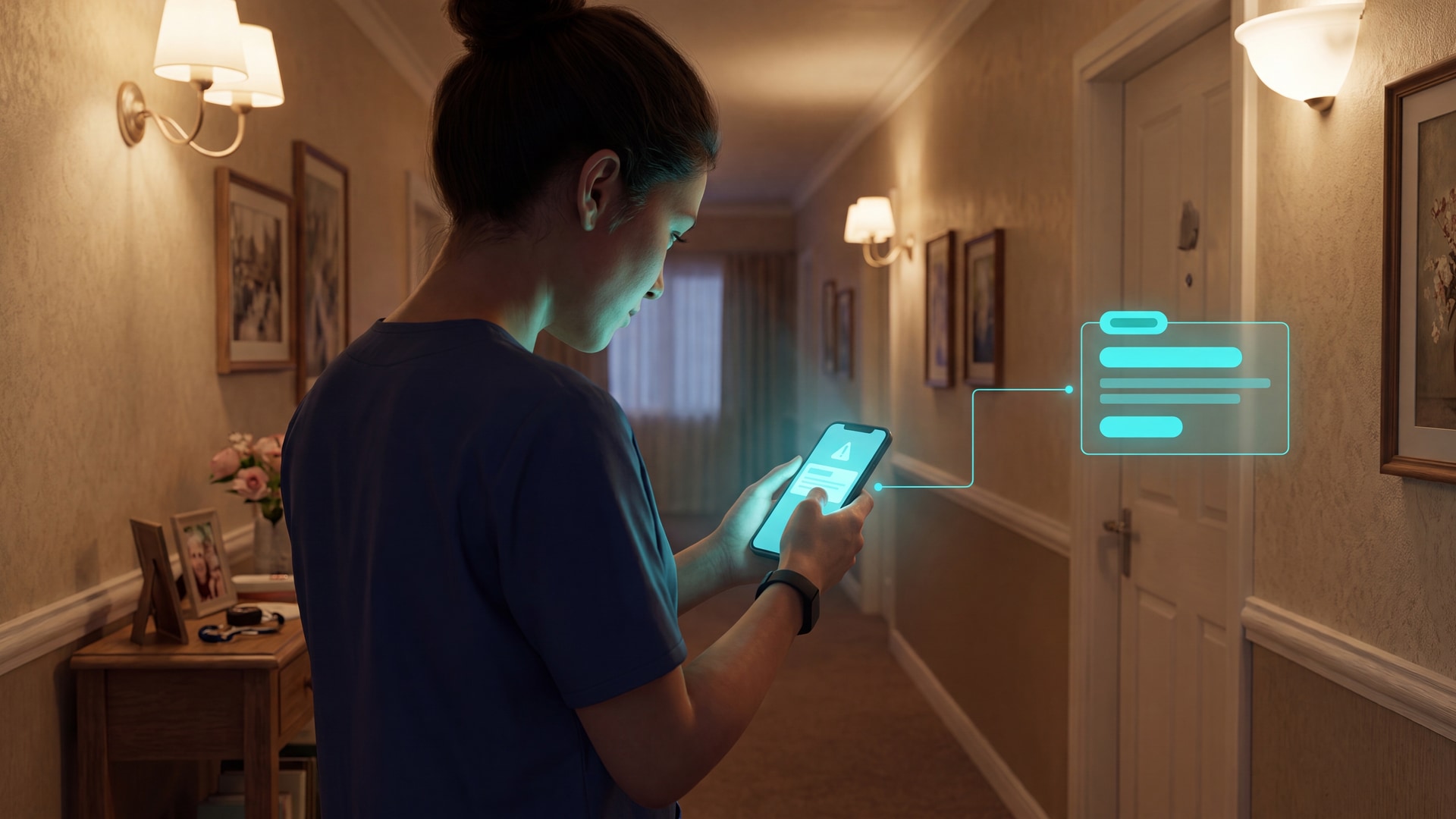
7 Best Alert Buttons That Call Your Cell Phone
In this article
An alert button that calls a cell phone can mean several different things: a real voice call, an app push notification, a monitoring-center workflow, or a care-team alert with location context. The difference matters when the button is out of reach, the phone is muted, or the person cannot speak.
At Guardian, we build camera-free alert and monitoring systems for care homes and home care teams. For this review, we evaluated each product on five practical questions:
Who receives the alert?
How does the alert reach a phone?
Does it include location context?
What happens if the person cannot press?
What does the first year cost?
Manual buttons still have a known gap. LeLaurin et al. found 80% non-activation after falls among older adults wearing personal emergency response systems, and the WHO fact sheet estimates 684,000 fatal falls a year worldwide.
If you are buying for one person at home, compare call route, fall detection, range, and monthly fee. If you run a care home or home care team, compare staff routing, room or GPS location, response records, and pilot evidence.
For care homes, you can also book a Guardian pilot and test room-level alerts before choosing hardware.
What 'calls a cell phone' actually means
An alert button “calls a cell phone” in three ways. In a 20-bed wing, the route changes the first responder and the follow-up record.
Alert type | What happens | Examples from this review |
|---|---|---|
True voice call | The phone rings through the cellular voice network. | Silent Beacon, SecuLife |
App push alert | The phone receives an app notification, so phone permissions and Do Not Disturb settings matter. | CallToU, MOBI |
App, SMS, and voice workflow | Caregivers receive several alert formats before an optional escalation path takes over. | Nomo Smart Care |
Response-center call | A monitoring agent receives the alert first, then calls emergency services or listed contacts. | Philips Lifeline |
Care-team alert | Staff receive alerts with resident, room, floor-plan, or GPS context inside an operational workflow. | Guardian |
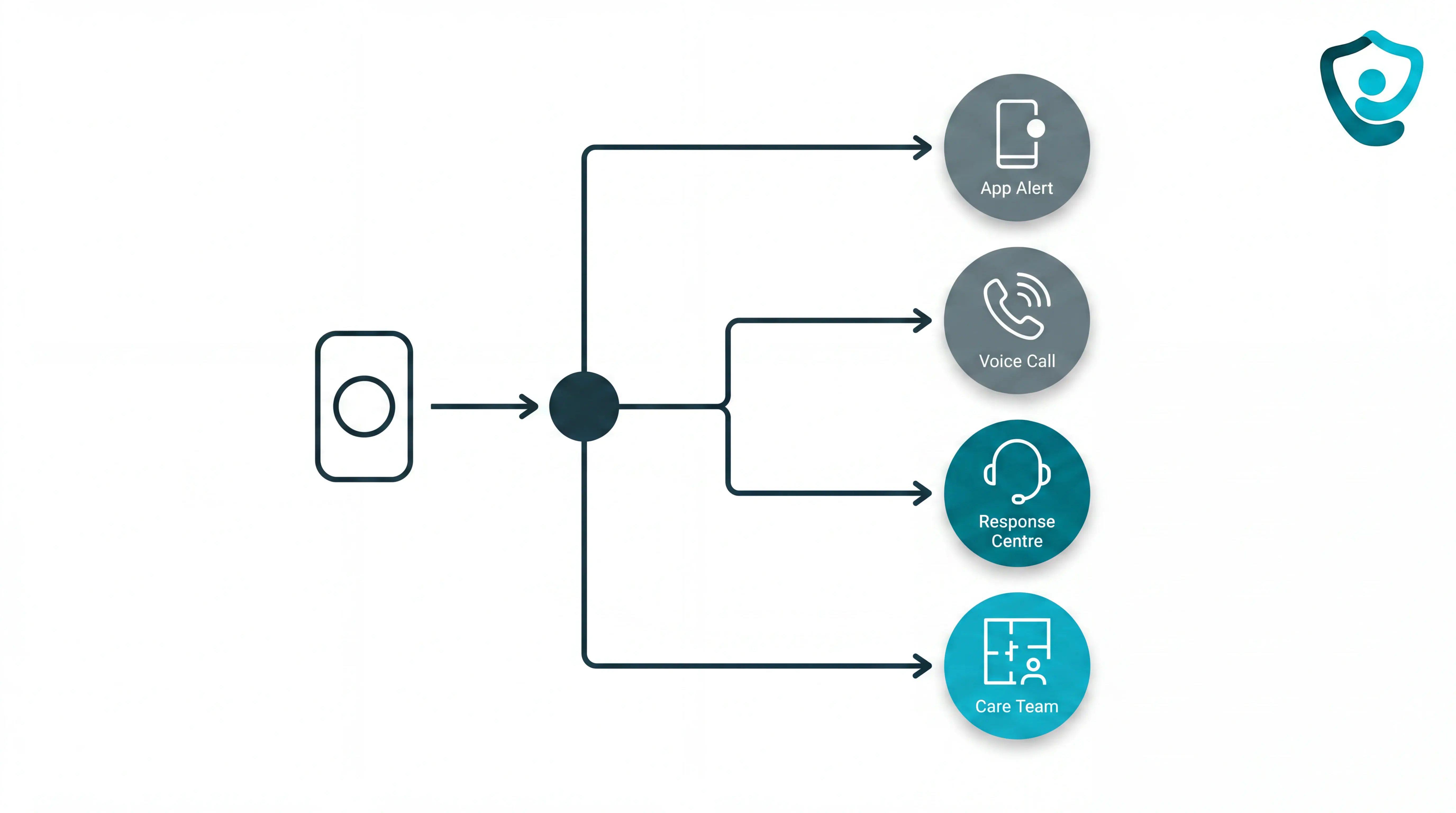
Buttons are only one trigger. Higher-risk care settings also need alerts that can fire when a resident cannot press a pendant.
Manual press: Useful when the resident or caregiver can reach the button, such as a bedside SOS button after a slip.
Automatic fall detection: Uses motion sensing to flag a possible fall without an active button press.
Passive monitoring: Uses bed-exit and room sensors to flag routine changes without cameras, such as a resident leaving bed overnight.
Quick picks by situation
Use this table as a shortlist, not a verdict. The individual reviews below explain where each product fits and what to check before buying.
Fast shortlist:
Best for care homes: Guardian.
Best no-fee Wi-Fi button: CallToU.
Best professional monitoring: Philips Lifeline.
Best family call chain with GPS: SecuLife.
Best phone-paired panic button: Silent Beacon.
Best expandable in-home hub: MOBI.
Best Care Circle workflow: Nomo Smart Care.
For care facilities, the dividing line is manual alerting versus operational coverage. A single button may help one person call for help, while care teams still need response logs and room-level location.
Care home and home care teams should look for:
Reliable routing: Alerts reach the duty team, not one unchecked phone.
Location context: Staff see where to go, not just that an alarm fired.
Automatic triggers: Falls, bed exits, inactivity, or door events can surface without a button press.
Noise control: Rules filter routine movement so staff do not learn to ignore the system.
The table below matches common situations to the products reviewed in this article.
Situation | Best match from this list | Why it fits | Key limitation |
|---|---|---|---|
Home caregiver on a tight budget, no subscription wanted | CallToU WiFi Caregiver Call Button | One-time cost of $33–$53; app push notification to any number of caregivers via Tuya app | Wi-Fi only (2.4 GHz); no fall detection; button must be pressed manually |
Senior living alone who needs a direct call to family, not a call center | SecuLife medical alert pendant/wristband | Auto-dials family contacts sequentially; built-in fall detection; standalone 4G LTE | $20–$34/month subscription; $89.50 upfront hardware cost |
Active adult who always carries a smartphone and wants a discreet wearable | Silent Beacon panic button | Pairs via Bluetooth to trigger real cellular call plus GPS text to contacts; $59.99 one-time cost | Requires nearby smartphone to function; no fall detection |
Family wanting structured escalation from family to professional backup | Nomo Smart Care 24/7 Medical Alert System | Alerts Care Circle via app, text, and voice before escalating to professional agent; accelerometer fall detection | In-home only; $19.99/month subscription on top of $199.99–$249.99 hardware |
Individual or family wanting professional 24/7 dispatch, not self-managed alerts | Philips Lifeline HomeSafe or On the Go | All alerts routed to certified 24/7 response center; On the Go model adds GPS | $34.95–$49.95/month; no direct family-only paging option |
Expandable home setup with optional professional monitoring add-on | MOBI Emergency Alert Button | Supports up to 100 devices; free app monitoring; optional $4.99+/month professional tier | No fall detection; no GPS; fixed-location system tied to gateway |
Care facility or household needing facility-wide, location-aware, camera-free monitoring | Guardian | Wireless sensor network with real-time floor-plan mapping; includes SOS, bed exit, motion, and fall detection sensors | Subscription-based; requires hardware installation; not a single-button consumer product |
The reviews below move from care-team coverage to family-led, monitored, mobile, and home-use devices.
Facility-wide coverage raises a broader shortlist; the location-aware monitoring systems comparison separates home, standalone, and care-facility workflows.
The 7 best alert buttons that call your cell phone
Every option below was evaluated on the same five dimensions.
The review checks alert route, recipient, location context, outside-home coverage, and what happens when the person cannot press the button.
1. Guardian
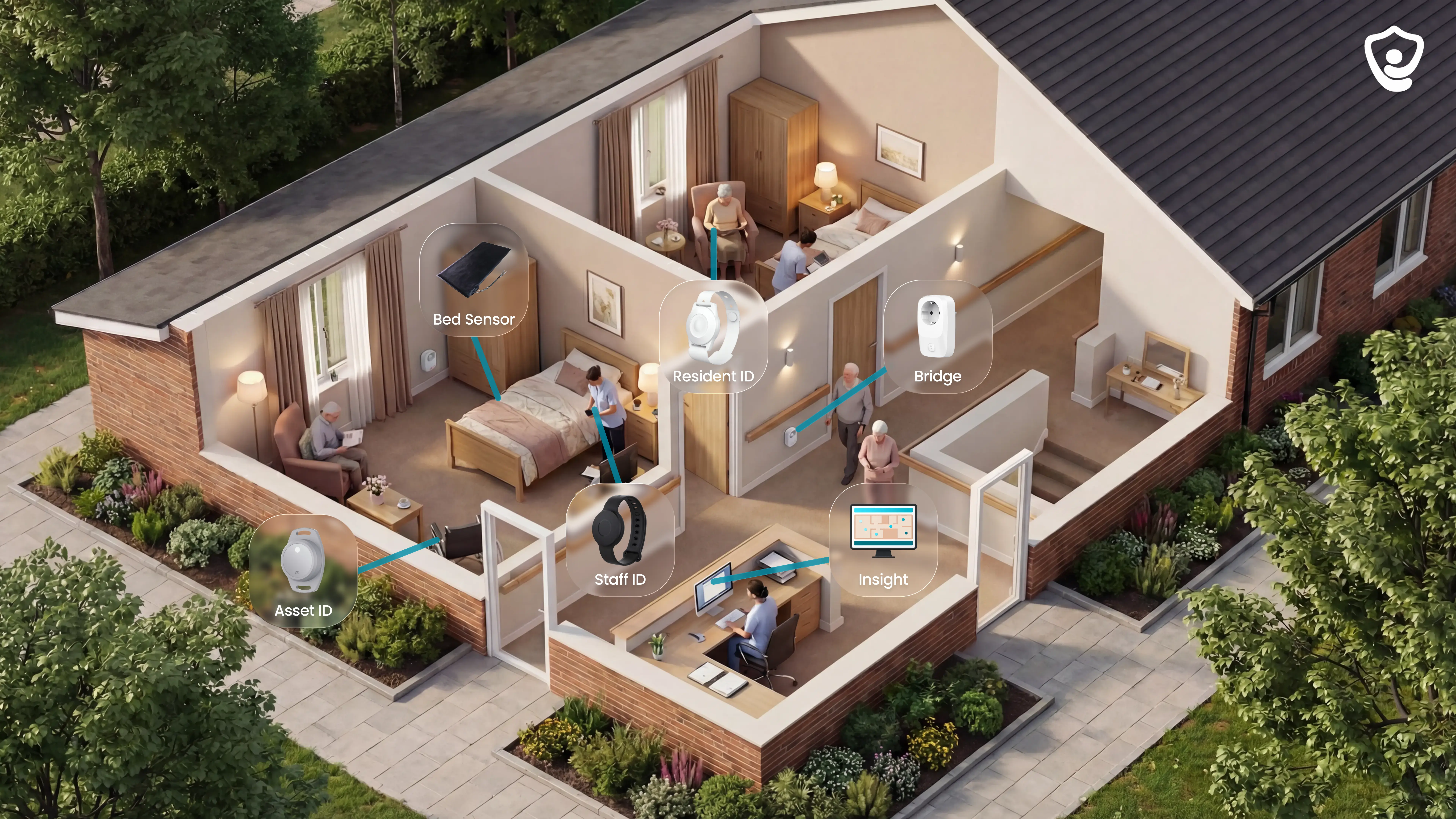
Guardian is a care-home and home-care alert platform, not a consumer pendant. It sits at #1 for teams that need phone alerts tied to people, location, and response records in one live view.
Guardian Insight brings SOS, fall, bed-exit, door, sensor, vehicle, and asset data into the same operational dashboard.
Category and fit:
Care homes: live alerts, floor-plan location, fall detection, bed exits, and visit records.
Home care teams: visit verification, fleet visibility, GPS safety watches, and in-home activity insights.
Operations leaders: clean records for response times, incidents, shifts, and ROI.
Less suitable for: a family buying one low-cost emergency button for a parent at home.
Guardian is camera-free by design. Camera-free monitoring matters in bedrooms, dementia care, and regulated care settings where families need reassurance without surveillance.
How alerts reach caregivers' phones
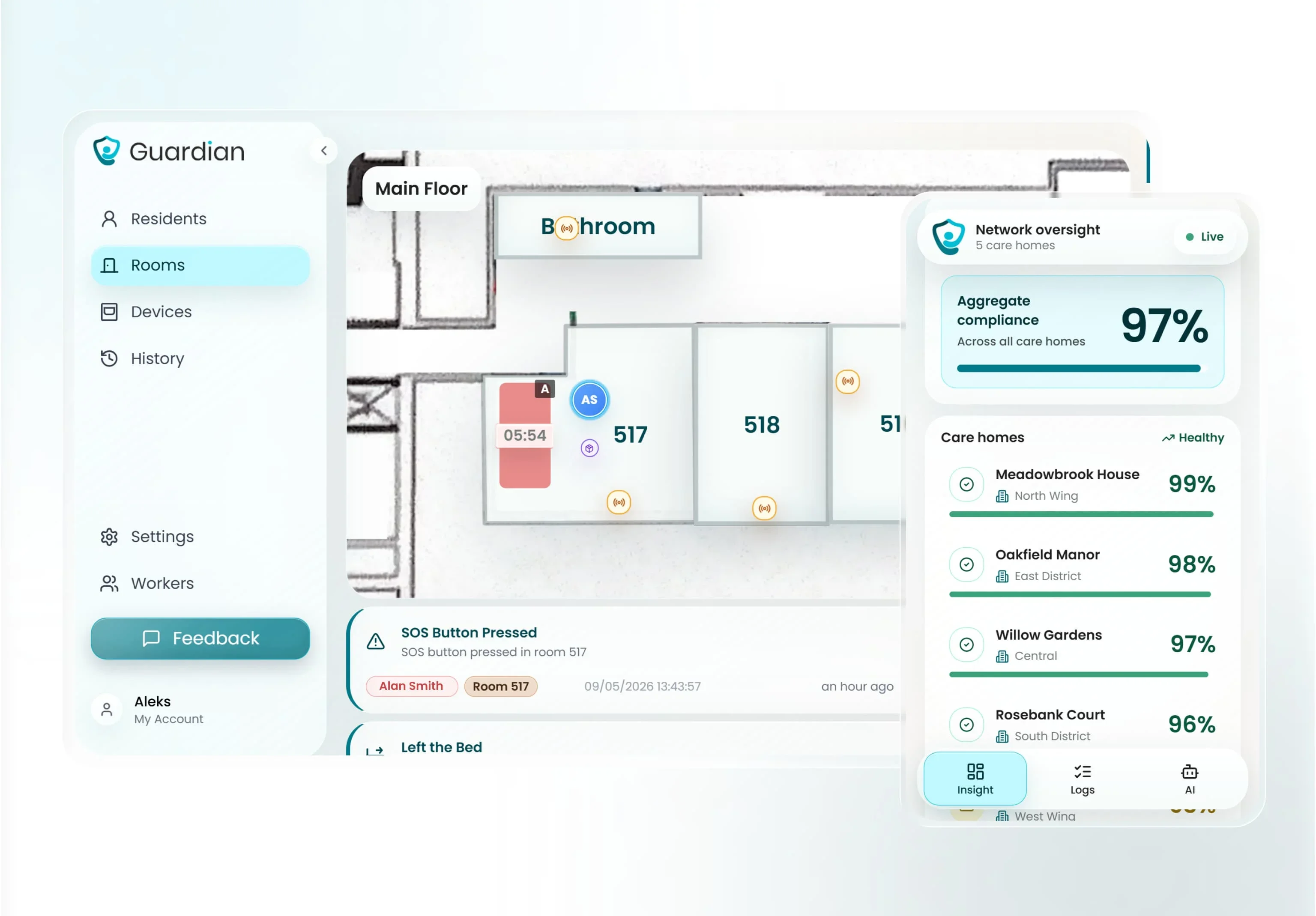
Guardian sends alerts to staff phones and nurse station screens. Guardian Insight links each alert to a digitised floor plan, so staff see the room before responding.
A useful cell-phone alert answers four questions before staff move:
Who: the resident, client, or caregiver involved.
Where: room-level location on the floor plan or live map.
What: fall, SOS press, bed exit, door event, inactivity, or restricted-area entry.
How urgent: based on the rules configured for that resident or setting.
Care teams manage alert routing and follow-up in one system instead of paper notes.
Wearable SOS and automatic fall detection
Guardian's resident wristband combines manual SOS and automatic fall detection. Live location tells staff where to respond.
Automatic detection matters because manual buttons fail at the hardest moments. A resident may be injured, confused, asleep, or unable to remember the device.
The wristband supports four response paths:
SOS press: the resident calls for help directly.
Automatic fall detection: the wristband detects a fall and sends an alert without resident action.
Room-level location: staff see the resident's name and where to respond.
Caregiver SOS: staff can also wear an SOS wristband when they need help quickly.
Guardian is built around ward response: who receives the alert, where staff go, and what gets recorded after.
Exit detection and restricted-area alerts
Guardian uses door sensors and live location tracking to flag exits and restricted-area entries as they happen.
The alert includes the event type before staff respond.
Exit detection is useful for:
External exits: a resident leaves the building or ward.
Restricted areas: a resident enters a kitchen, stairwell, store room, or unsafe zone.
Night movement: a door opens outside normal routine.
Follow-up: the event is recorded for review, not lost after the alarm stops.
Wireless sensors can be placed where risk actually exists. Care teams can reconfigure coverage as residents, rooms, or routines change.
Passive sensor coverage, no wearable needed
Guardian can protect residents who avoid wearables.
Some residents will not wear a wristband every day. Others cannot use one reliably. Guardian still monitors key safety windows through passive sensors that run in the background.
Passive coverage can include:
Bed sensors: detect getting up at night or not returning within a configured window.
Motion sensors: track room-level activity and unusual inactivity.
Door sensors: flag exits, room access, or routine changes.
Fridge sensors: show whether normal eating routines may have changed.
Stove sensors: alert staff to potential safety risks in home care settings.
Passive monitoring uses sensors rather than cameras, voice recording, or a required button press.
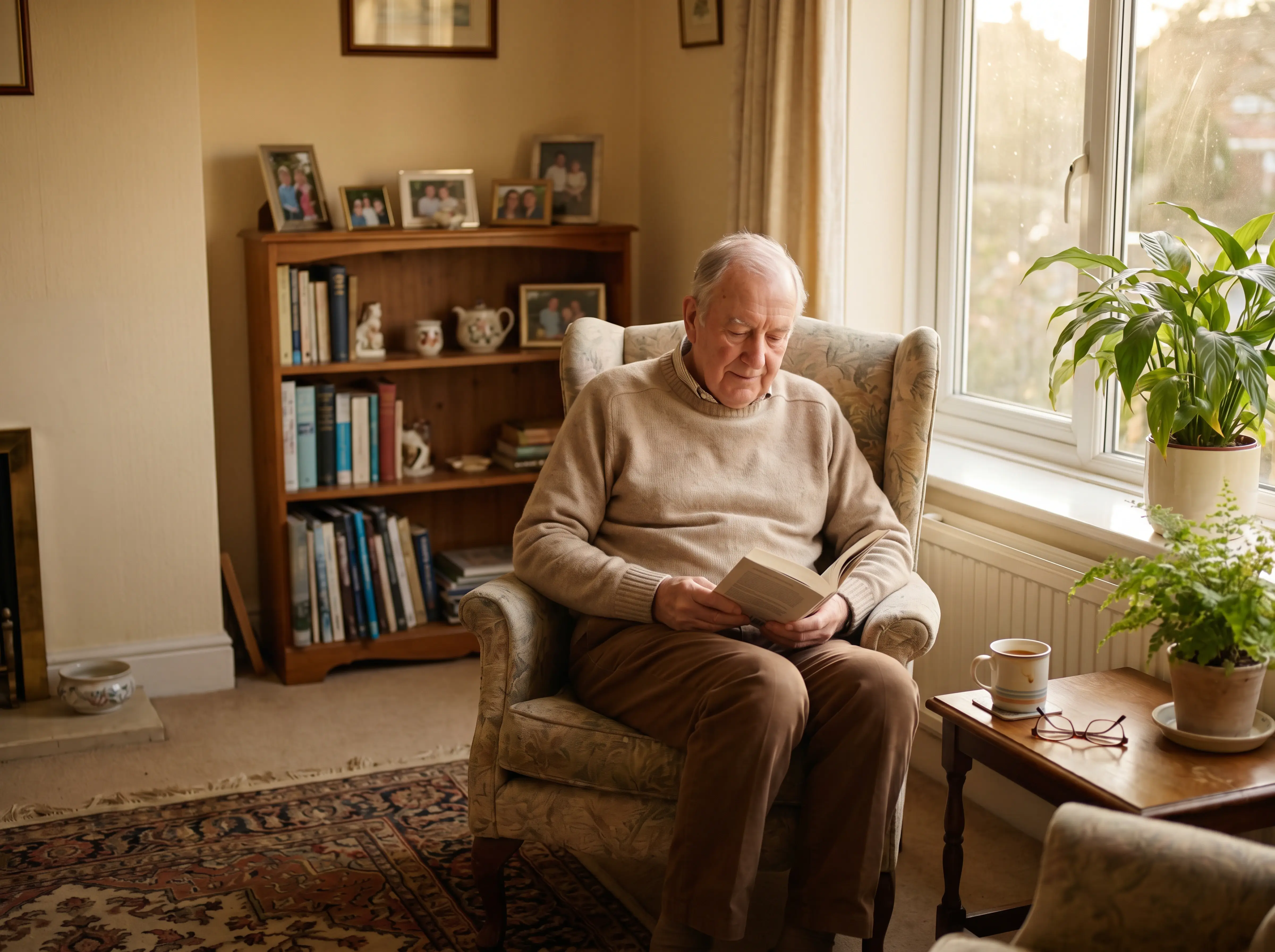
Passive coverage helps in dementia care, night shifts, and rooms where residents reject visible devices.
Smart alert rules and alarm fatigue control
High alert volume can make care less safe. Staff start ignoring notifications when every sensor reading becomes an alarm.
Guardian filters sensor data before an alert reaches the team. Rules are configured around the resident's routine, the care setting, and what actually needs a response.
Examples include:
Bed exit threshold: alert if a resident is out of bed for more than the configured night-time window.
Inactivity threshold: alert if no movement appears for longer than expected.
Routine change: alert if a fridge has not opened by a usual time.
Restricted-area entry: alert when a resident crosses a boundary they should not cross.
The goal is fewer low-value notifications and clearer response records.
During the pilot, Guardian tracks the operational data managers need:
Alert quality and false alarm patterns.
Response times.
Visit verification.
Staff feedback.
ROI and rollout recommendations.
One pilot identified more than 30 incidents and unlocked over €1,000 per month in caregiver capacity.
Deployment, pricing, and pilot
Guardian is deployed as a scoped pilot for care operators.
There is no published B2B price for care homes or home care providers. Commercial terms are set after the pilot, based on the ward, team, use cases, and rollout plan.
A typical pilot starts with the highest-value area first:
Scope: priority beds or one ward on day one.
Setup: wireless, pre-configured devices with no drilling or cabling.
Timing: a ward can usually go live in about a week.
Pilot length: 6-8 weeks of live operational data.
Report: response times, visit verification, incidents, alert quality, staff feedback, ROI, and rollout recommendation.
A pilot proves impact in your own setting before scaling. You see the data, choose the next use cases, and decide the rollout from evidence.
Share your ward setup and priority risks. Guardian will map a one-ward pilot and reporting plan.
For a family-facing home setup, compare the consumer entries below.
2. Nomo Smart Care 24/7 Medical Alert System
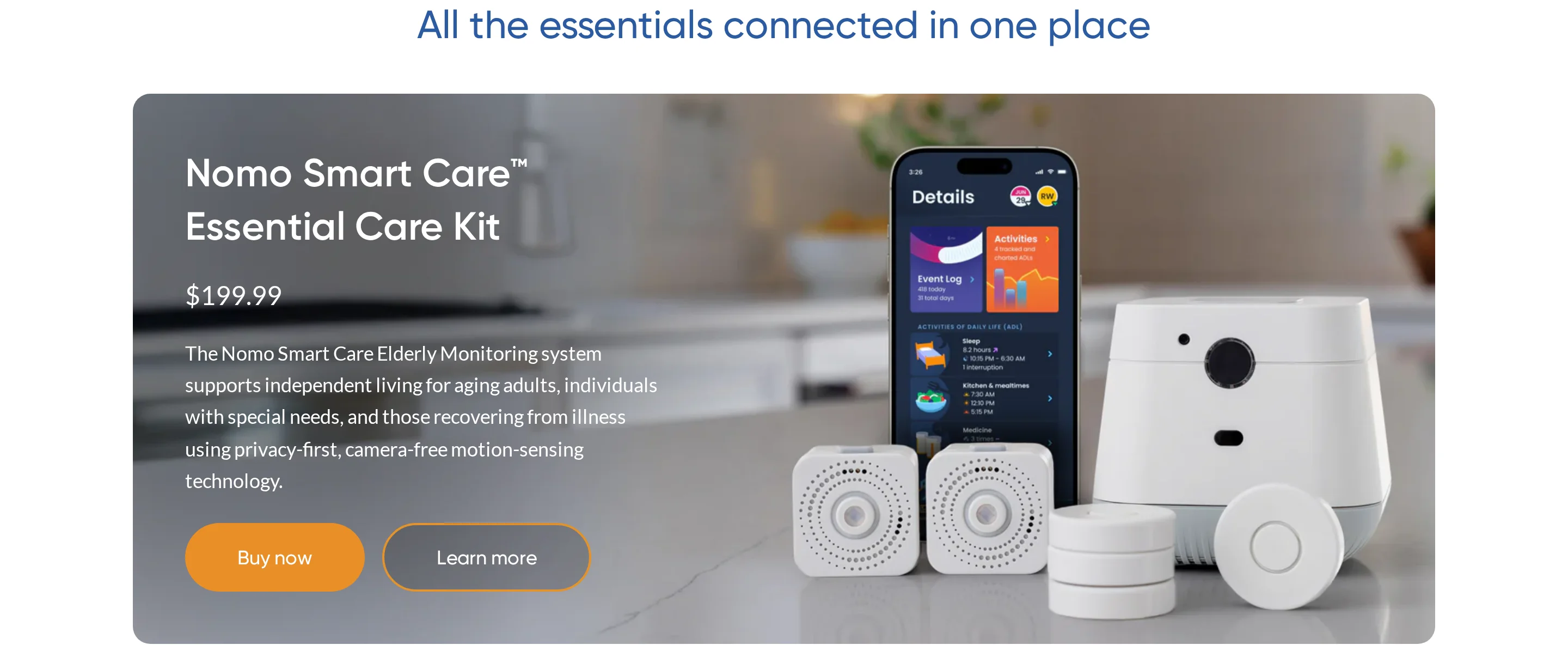
Nomo Smart Care is a Wi-Fi-connected home medical alert system for private households. It uses a hub, satellite sensors, and wearable tags to alert a configured Care Circle.
The system is built around one home, not outdoor tracking. Alerts depend on the home’s 2.4 GHz Wi-Fi connection and an active subscription.
How the cell phone alert works
When a tag button is pressed, or the tag detects a fall, Nomo sends app, text, and voice notifications to Care Circle members.
If no one acknowledges the alert, notifications repeat up to seven times over 35 minutes. With the Essential+ plan, a 24/7 monitoring center can contact emergency services if the family does not respond.
The wearable tag uses an accelerometer to detect sudden movement and orientation changes consistent with a fall. That means some alerts can trigger without the person pressing a button.
Where it fits
Nomo is aimed at families monitoring an older adult inside a single home. The Care Circle workflow suits households where several relatives or caregivers need to receive the same alert at once.
It is less suited to outdoor or mobile coverage. Once the user is outside the home Wi-Fi range, the system is no longer operating as a connected alert button.
Strengths
Care Circle alerts: One event can notify multiple caregivers by app push, SMS, and voice call.
Repeated notifications: Unacknowledged alerts can repeat up to seven times over 35 minutes.
Automatic fall detection: Wearable tags can trigger an alert when the accelerometer detects fall-like movement.
Monitoring backstop: The Essential+ subscription adds a 24/7 call center that can contact emergency services.
In-home coverage: The hub and satellite sensors support a monitored home setup rather than a single standalone button.
Limitations and cost checks
Wi-Fi dependency: Nomo requires 2.4 GHz home Wi-Fi, so internet outages or weak coverage can affect alerts.
No outdoor coverage: The system is designed for the home network, not mobile use away from the property.
Subscription required: Remote notifications and 911 dispatch require a paid plan. Essential+ is listed at $19.99 per month.
Escalation decision: Confirm whether family response is enough, or whether the household needs Essential+ monitoring as a backstop.
Upfront hardware cost: At the time of writing, Nomo hardware has been listed around $199.99 to $249.99, depending on kit and retailer.
Fall detection is not guaranteed: A Best Buy review documents a broken-hip fall where the tag reportedly did not trigger, despite passing manual tests.
3. CallToU WiFi Caregiver Call Button
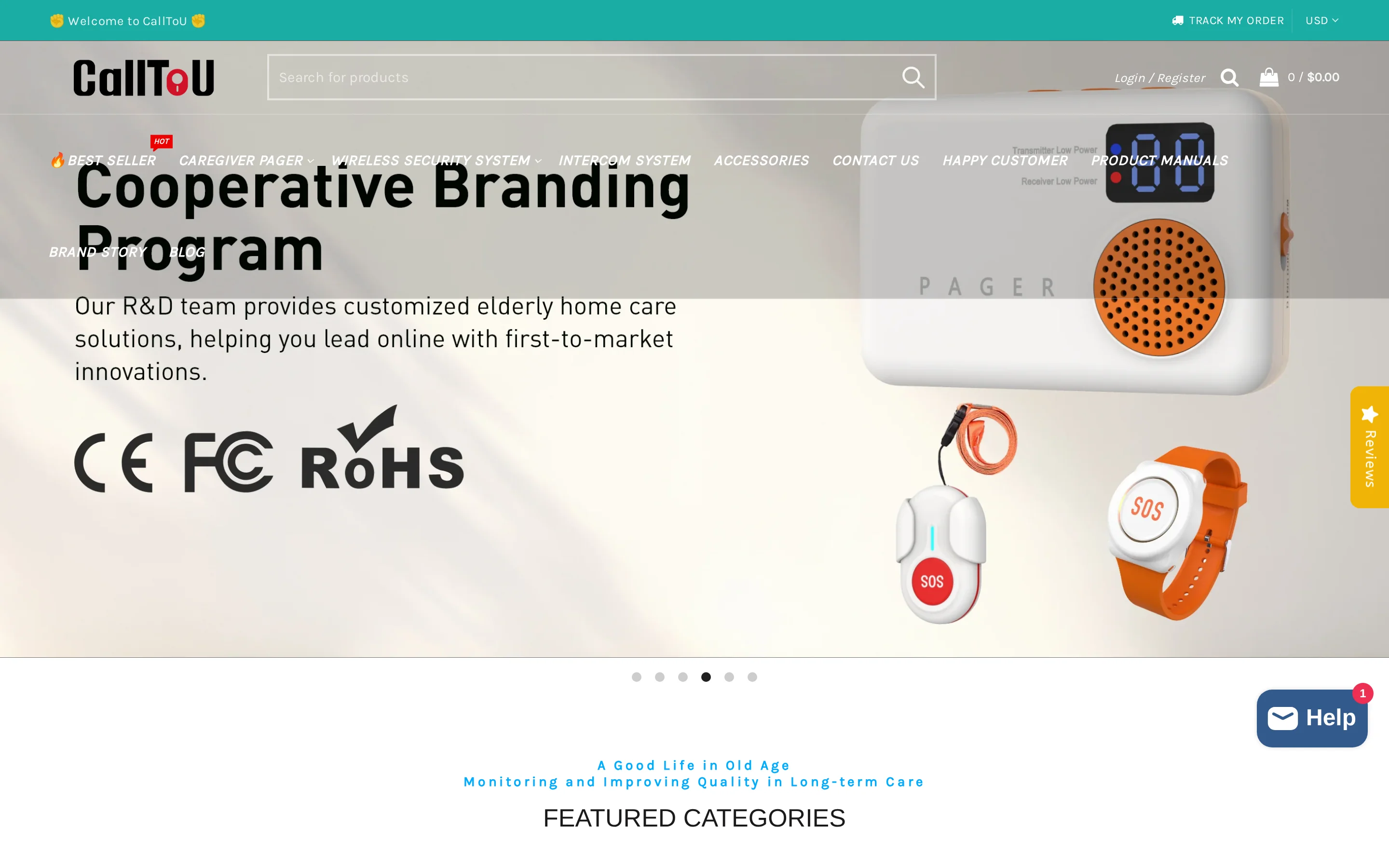
CallToU is a low-cost Wi-Fi call button for home caregivers who want app alerts without a monitoring subscription.
At the time of writing, the typical hardware cost is $33 to $53 as a one-time purchase, with no monthly fee for Tuya or Smart Life push notifications.
How the cell phone alert works
When the button is pressed, linked caregiver phones receive a push notification through the Tuya or Smart Life app.
A local plug-in receiver can also sound inside the home, so someone nearby hears the alert even if they are not watching a phone.
The app alert depends on 2.4 GHz Wi-Fi. It does not work on 5 GHz-only networks, and there is no cellular backup if the home internet goes down.
Where it fits
CallToU covers a simple fixed-location use case: a resident, patient, or family member presses a button to call someone nearby.
It can work for bedrooms, bathrooms, or living areas where the button stays within range of the receiver and home Wi-Fi.
It is not a mobile medical alert system. There is no GPS, no fall sensor, no cellular radio, and no out-of-home coverage.
Strengths
Low one-time cost: The $33 to $53 hardware price keeps it accessible for basic home use.
No app subscription: Tuya or Smart Life push notifications do not require an ongoing monitoring fee.
Multiple caregiver alerts: Shared app access can notify more than one linked caregiver phone at the same time.
Local audible backup: The plug-in receiver still gives an in-home chime path for people nearby.
Bathroom placement: Waterproof button options make wet-area placement more practical.
Limitations and cost checks
No fall detection: Every alert requires a manual button press, so it cannot help if the person cannot reach or press the button.
No location data: The alert tells caregivers the button was pressed, not where the person is moving in or outside the home.
Phone notification settings matter: Tuya or Smart Life alerts can be missed if permissions, volume, or Do Not Disturb settings block the notification.
No cellular backup: Remote push notifications stop if Wi-Fi or home internet fails.
Fixed home range: Coverage is limited to the button, receiver, and Wi-Fi range, often listed around 328 feet under ideal conditions.
4. Philips Lifeline HomeSafe or On the Go
Philips Lifeline is a monitored medical alert service built around pendant or wristband hardware and a 24/7 response center.
Instead of sending every alert straight to family phones, Lifeline routes the signal to an agent who assesses the situation and contacts emergency services or listed contacts.
At the time of writing, monthly fees generally run $34.95 to $49.95, depending on the device and plan. Setup or activation fees may also apply.
How the cell phone alert works
HomeSafe uses an in-home base station connected by landline or cellular service, depending on the model.
On the Go uses 4G cellular service and can report location using GPS and Wi-Fi positioning when the user is away from home.
Family contacts do not usually receive a direct app push notification first. The standard workflow runs through the response center before contacts are called.
Where it fits
Lifeline fits users who want a monitored emergency response model and are willing to wear a pendant or wristband consistently.
The response-center setup can matter when family members cannot reliably monitor an app at all hours.
AutoAlert is available on compatible devices and plans, while On the Go adds mobile coverage for users who leave the home regularly.
Strengths
24/7 response center: Button presses and AutoAlert events connect to a live agent for triage and escalation.
Home connection options: HomeSafe can use landline or cellular connectivity, depending on the selected model.
AutoAlert fall detection: Compatible pendants can initiate a response-center call without a button press when a fall is detected.
On the Go location: The mobile model uses 4G service with GPS and Wi-Fi positioning for away-from-home alerts.
Limitations and cost checks
No family-direct push flow: Standard alerts route through Lifeline first, rather than sending app notifications directly to caregivers.
Monthly monitoring cost: The $34.95 to $49.95 monthly fee is ongoing, and upfront setup or activation charges may apply.
Battery and signal complaints: Some users report short battery life or signal loss inside the home, especially where walls or interference affect coverage.
Fall detection limits: AutoAlert can generate false positives and may miss some falls, so the manual button still matters when the user can press it.
5. Silent Beacon panic button
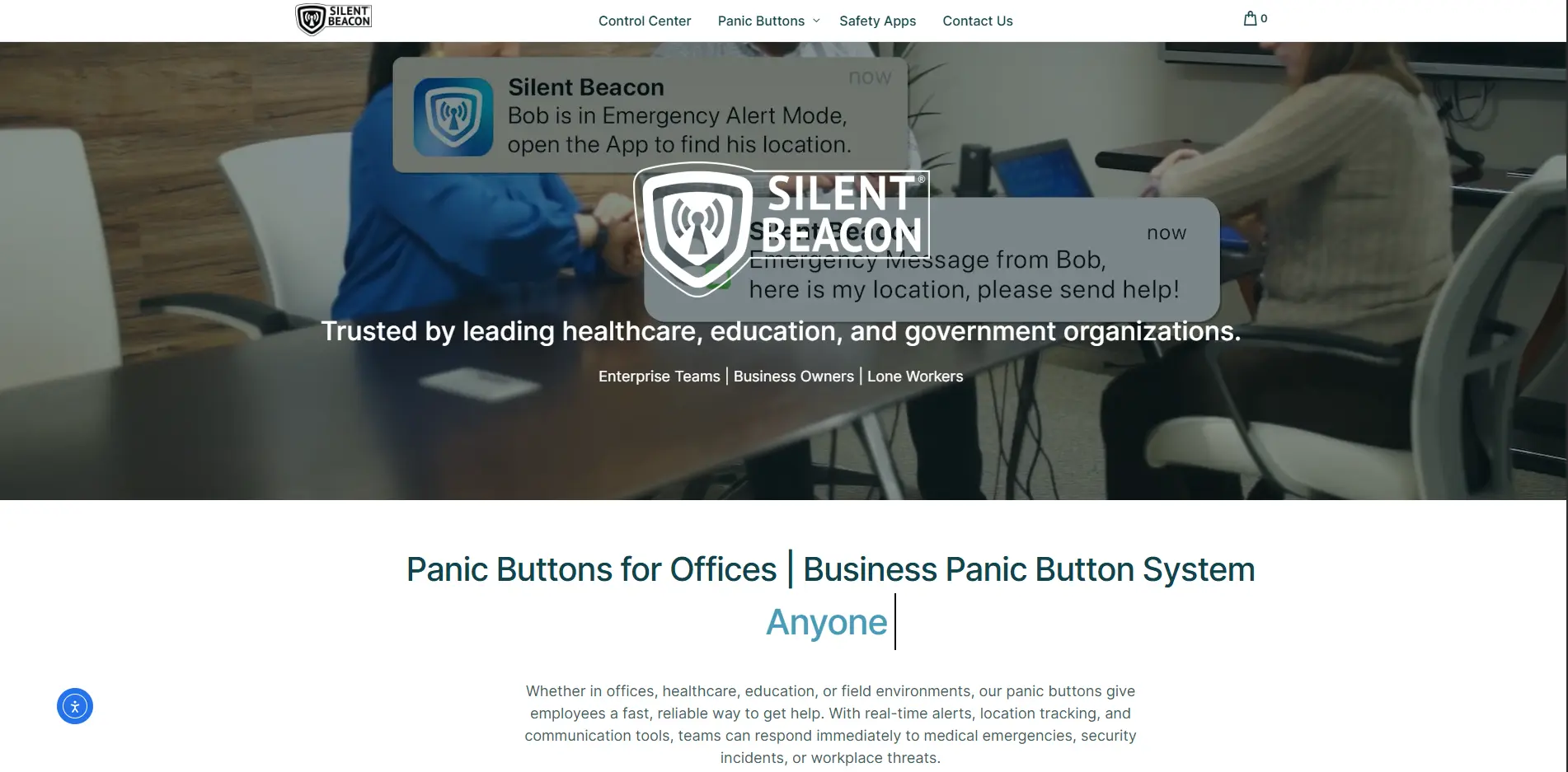
Silent Beacon is a Bluetooth panic button that routes alerts through the user's smartphone. Pressing the wearable can place a voice call, send a GPS-tagged text, and notify app contacts.
The fit is narrow: active adults who keep a charged phone nearby. The button loses its alert path when the phone is out of range, dead, or disconnected.
How the cell phone alert works
The button sends a Bluetooth signal to the paired smartphone. The phone handles the call, text, and GPS sharing.
In a walking or lone-worker scenario, the user presses the wearable and speaks through Silent Beacon hardware while the phone stays in a pocket or bag.
Where it fits
Silent Beacon makes sense when the user reliably carries a phone:
Walking or commuting with the phone on the body
Lone work where one-touch calling matters
Travel or outdoor activity with dependable phone charging
Avoid Silent Beacon for users who misplace phones, leave devices charging in another room, or struggle to keep Bluetooth connected.
Strengths
The main practical advantage is phone-based alerting without a standard monthly fee.
At the time of writing, Silent Beacon lists the hardware at $59.99 for core alert features, with no standard monthly fee.
A button press can call a preset number, including 911 where appropriate.
Contacts can receive a custom text with the user's GPS location.
The built-in speaker and microphone support live conversation during the call.
App contacts can receive push notifications alongside the main call and text.
Limitations and cost checks
Buying check: Test Silent Beacon with the phone in the exact pocket, bag, or room the user normally uses. Bluetooth range on paper matters less than the user's daily routine.
Test the user's normal route with the phone in its usual place, then confirm calls, texts, and GPS sharing all send.
For users at fall risk, ask whether a missed button press is acceptable. Manual alert paths need a backup if the person may be unable to press.
Decide who answers at night, then run a missed-call drill with every listed contact.
For users who forget phones, compare the next standalone cellular and hub-based entries before buying.
6. SecuLife medical alert pendant/wristband
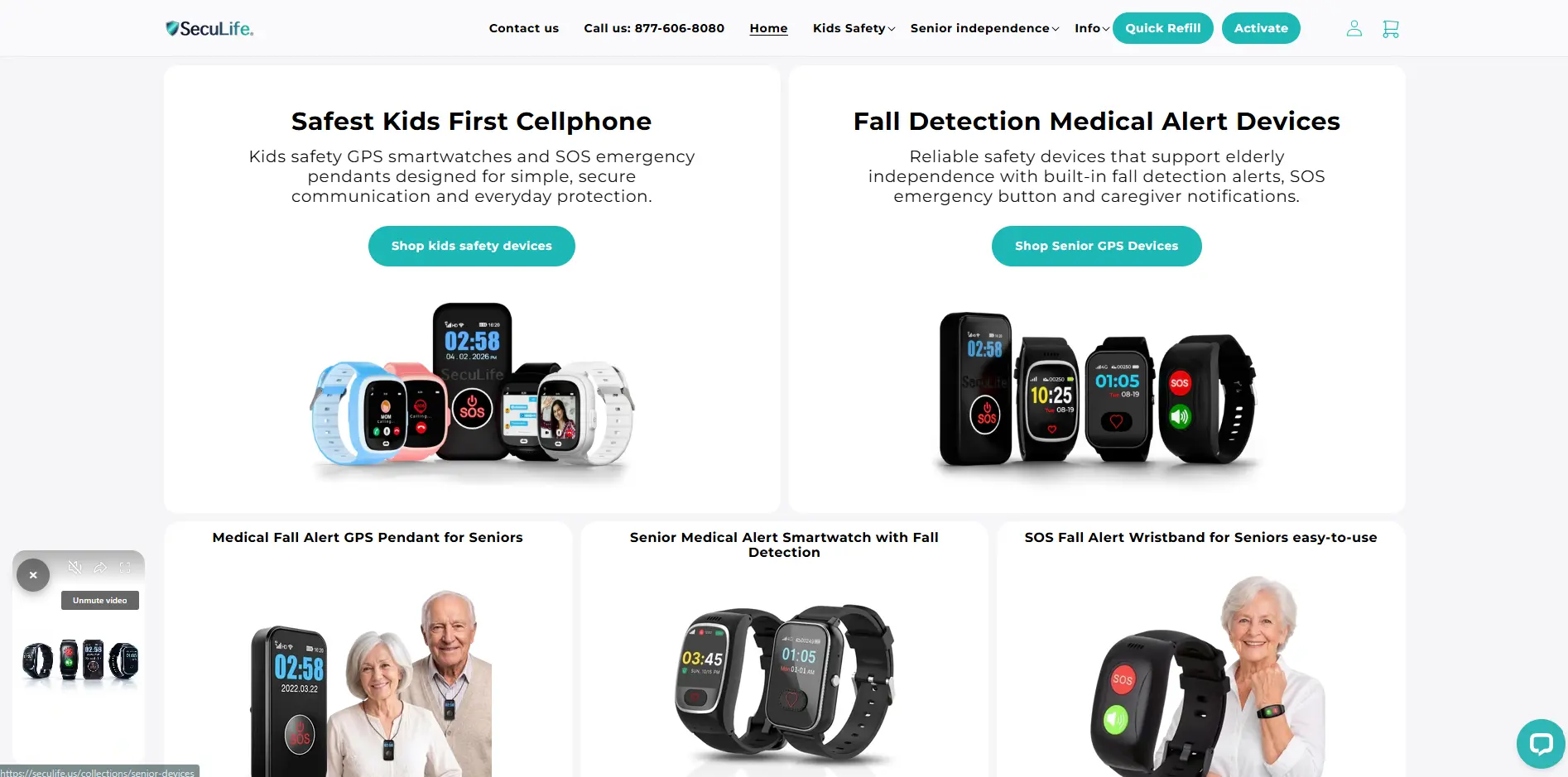
SecuLife is a standalone medical alert pendant or wristband with cellular connectivity, GPS, two-way calling, fall detection, and a caregiver app. It does not need a home base station.
The workflow is direct-to-family mobile coverage. The device calls family contacts, shares location, and runs on a required monthly cellular plan.
How the cell phone alert works
Pressing SOS on the wearable dials preselected family contacts in sequence over cellular service. SMS alerts and GPS coordinates are sent with the call.
A useful scenario is a parent walking alone: the pendant places the call, and the family member opens the location in the app while speaking through the wearable.
Where it fits
SecuLife fits an independent senior who needs coverage at home, outdoors, or between errands without carrying a smartphone.
Family call chains need named contacts who answer quickly. Confirm what happens when every contact misses the call.
Strengths
SecuLife has more moving parts than a button-only product, so evaluate the workflow rather than the spec list.
Capability | What to verify in practice |
|---|---|
Standalone cellular | The pendant or wristband connects over cellular service instead of a paired phone. |
GPS location | Use the caregiver app to confirm live location, location history, and geofence behavior. |
Auto-dial sequence | Check the order of family contacts and test what each person receives. |
Fall detection | Adjust sensitivity and run a safe demo so the wearer knows the cancel sound. |
Pricing | At the time of writing, SecuLife lists the device at $99.99, with service from $24.99/month. |
Limitations and cost checks
Before buying, write down who receives each alert and what happens after a missed call.
Ask SecuLife support what happens when every family contact misses the call. Confirm there is no staffed response center unless you add another service.
Price the hardware and required cellular plan together, then compare the monthly cost with monitored medical alert services.
Open the app with every intended caregiver and confirm whether the workflow supports one senior or a wider household.
Test LTE signal in the rooms and travel areas where the wearer spends time. If the wearer rarely leaves home, compare SecuLife's cellular cost with MOBI's hub next.
7. MOBI Emergency Alert Button
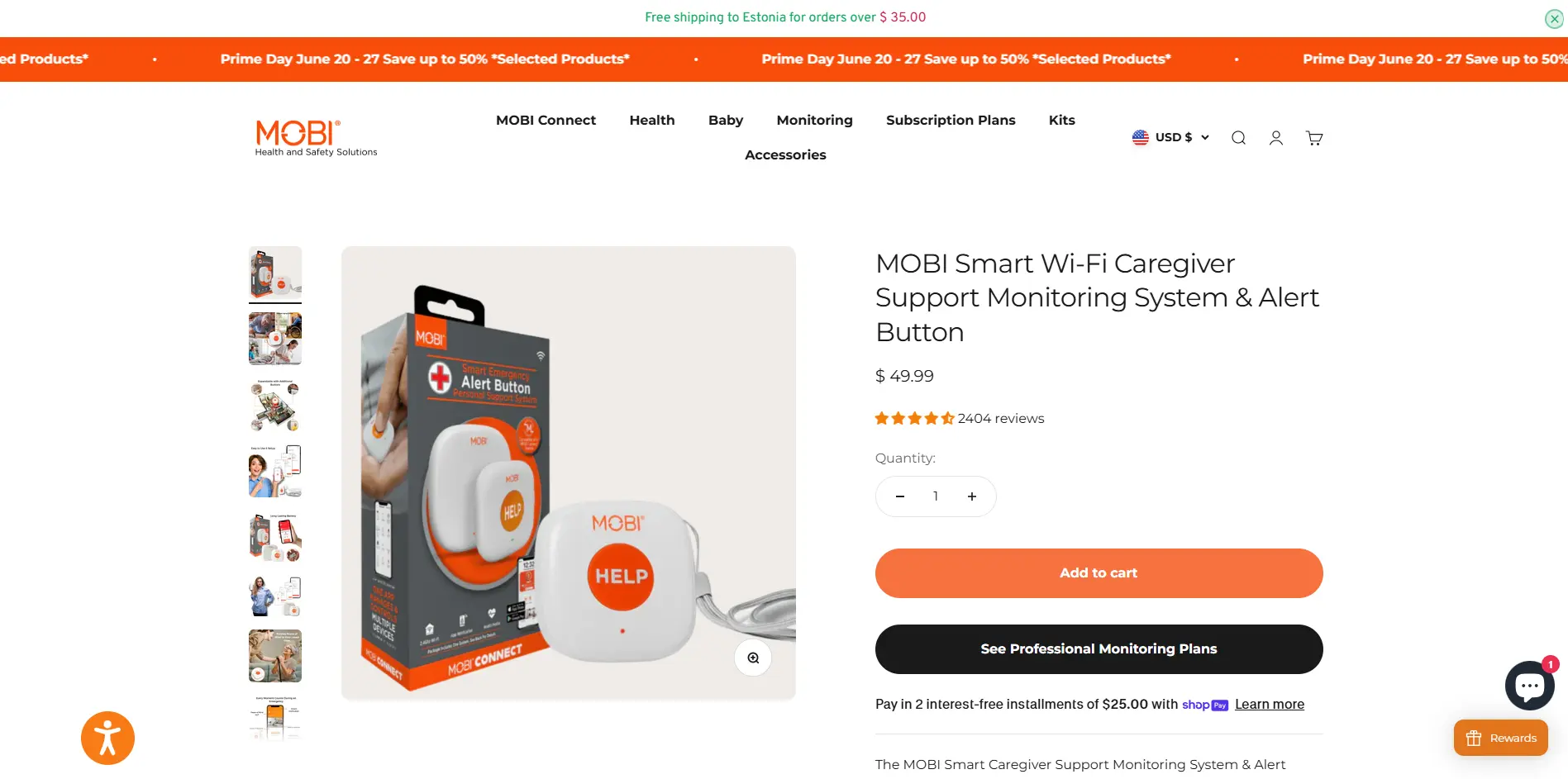
The MOBI Emergency Alert Button is a hub-based home alert system. Pressing the button sends a push notification through the MOBI Smart App to registered caregiver phones.
At the time of writing, self-monitoring has no monthly fee after hardware purchase. Optional monitoring starts around $4.99/month, but treat that tier as backup escalation, not full medical dispatch.
How the cell phone alert works
The button connects through a plug-in Zigbee/Wi-Fi Gateway Hub. The hub sends app push notifications, rather than voice calls or SMS.
In a night-time bathroom call, the resident presses the button, the hub relays over 2.4 GHz Wi-Fi, and caregivers see an app alert.
Where it fits
MOBI fits a simple home setup where the person needing help stays within Wi-Fi range and caregivers mainly want app alerts.
Strengths
The practical case is low-cost household coverage, especially when caregivers already check MOBI app notifications.
Basic app alerts can reach registered caregivers without a monthly subscription.
More than one caregiver can receive the same button alert.
One hub can support up to 100 connected devices across the home.
Setup runs through the MOBI Smart App without professional installation.
A paid monitoring tier starts around $4.99/month for backup escalation.
Limitations and cost checks
Buying check: Treat MOBI as an in-home app alert first. Buy only after testing the hub, Wi-Fi, and notification behavior in the exact rooms that matter.
Press the button during a drill and confirm caregivers know how to call back, because the button itself has no two-way voice.
Ask who notices a fall when the user cannot press. MOBI does not add automatic fall detection.
Walk outside the Wi-Fi coverage area and confirm alerts stop where expected. MOBI does not provide GPS for outdoor location sharing.
Unplug the hub during setup testing, then confirm what caregivers see when power or 2.4 GHz Wi-Fi is unavailable.
Review the app screens with every caregiver before buying. If you need staff routing or floor-plan context, move to the comparison checklist next.
Alert buttons compared: features, alert type, and cost
Start with alert route, not price. A cheap button can still fail when Wi-Fi drops or a phone blocks the notification before a caregiver sees it.
Fall risk is the biggest split. Manual-only buttons can help when someone can press, but they are weaker when a fall leaves a person unable to reach the device.
Manual-only devices still help when someone can press and speak. They are weaker when a fall leaves a person unconscious or unable to lift an arm.
Manual-only buttons: CallToU, Silent Beacon, and MOBI work for deliberate help calls, but fail when the user cannot press or speak clearly.
Home Wi-Fi systems: Nomo, CallToU, and MOBI fit fixed homes, but the setup can fail in three common ways.
Router failure: A power cut or 2.4 GHz Wi-Fi issue can stop the hub from sending the alert.
Hub failure: An unplugged gateway or weak room signal can leave a button press inside the home.
Phone failure: App permissions or Do Not Disturb can stop the caregiver seeing the alert.
Mobile GPS devices: Philips On the Go, SecuLife, and Guardian's GPS safety watch suit walks, appointments, and garden visits outside a fixed home setup.
Direct family alerts: Nomo, CallToU, Silent Beacon, SecuLife, and MOBI can notify chosen contacts, so test what happens when the first caregiver misses the call.
Care facility alerts: Guardian routes alerts through a facility view with room-level context, so staff see which resident, room, or zone needs a response.
Use this table as a first filter before comparing cost. Prices change, especially for monitoring plans and retailer bundles, so confirm current fees on the vendor page before buying.
Device | Connectivity | Who Gets Alerted | Notification Method | Fall Detection | GPS / Portable | Monthly Cost |
|---|---|---|---|---|---|---|
Guardian | Wireless sensor network | Care facility staff via portal | App / web dashboard alert | Yes (sensor + wristband) | Facility-wide mapping, no GPS | Subscription required |
Nomo Smart Care | Wi-Fi (2.4 GHz hub) | Care Circle + optional monitoring agent | App, SMS, voice call | Yes (accelerometer tag) | Home-only, no GPS | $19.99/mo |
CallToU | Wi-Fi (2.4 GHz only) | Caregiver smartphone | App push notification + local chime | No (manual press only) | Home-only, ~328 ft range | No fee |
Philips Lifeline | Landline / cellular | 24/7 professional response center | Voice call to dispatch center | Yes (AutoAlert add-on) | Yes — On the Go model has GPS | $34.95–$49.95/mo |
Silent Beacon | Bluetooth to phone | Emergency contacts + 911 or monitoring | Voice call + GPS text to contacts | No | Yes (needs phone nearby) | No fee for core features |
SecuLife | 4G/5G LTE cellular | Family contacts direct | SMS + auto-dial until answered | Yes (adjustable sensitivity) | Yes — independent GPS | $20–$34/mo |
MOBI | Wi-Fi (Zigbee gateway) | Caregiver via MOBI app | App push + optional pro monitoring | No (manual press only) | Home-only, no GPS | Free basic; $4.99+/mo pro |
Approximate first-year cost check
Use these figures only as a budgeting check. They combine the prices stated above and leave out unknown activation, shipping, tax, and retailer bundle changes.
Device | Approximate first-year cost from listed figures |
|---|---|
Guardian | Scoped pilot, no public consumer price |
Nomo Smart Care | About $439.87-$489.87, based on listed hardware plus 12 months at $19.99 |
CallToU | About $33-$53, based on listed hardware only |
Philips Lifeline | About $419.40-$599.40 before setup or activation fees |
Silent Beacon | About $59.99 for core features |
SecuLife | About $399.87+, based on listed hardware plus 12 months from $24.99 |
MOBI | Basic app alerts are free after hardware; optional pro monitoring starts around $59.88/year plus hardware |
How to choose the right alert button for your situation
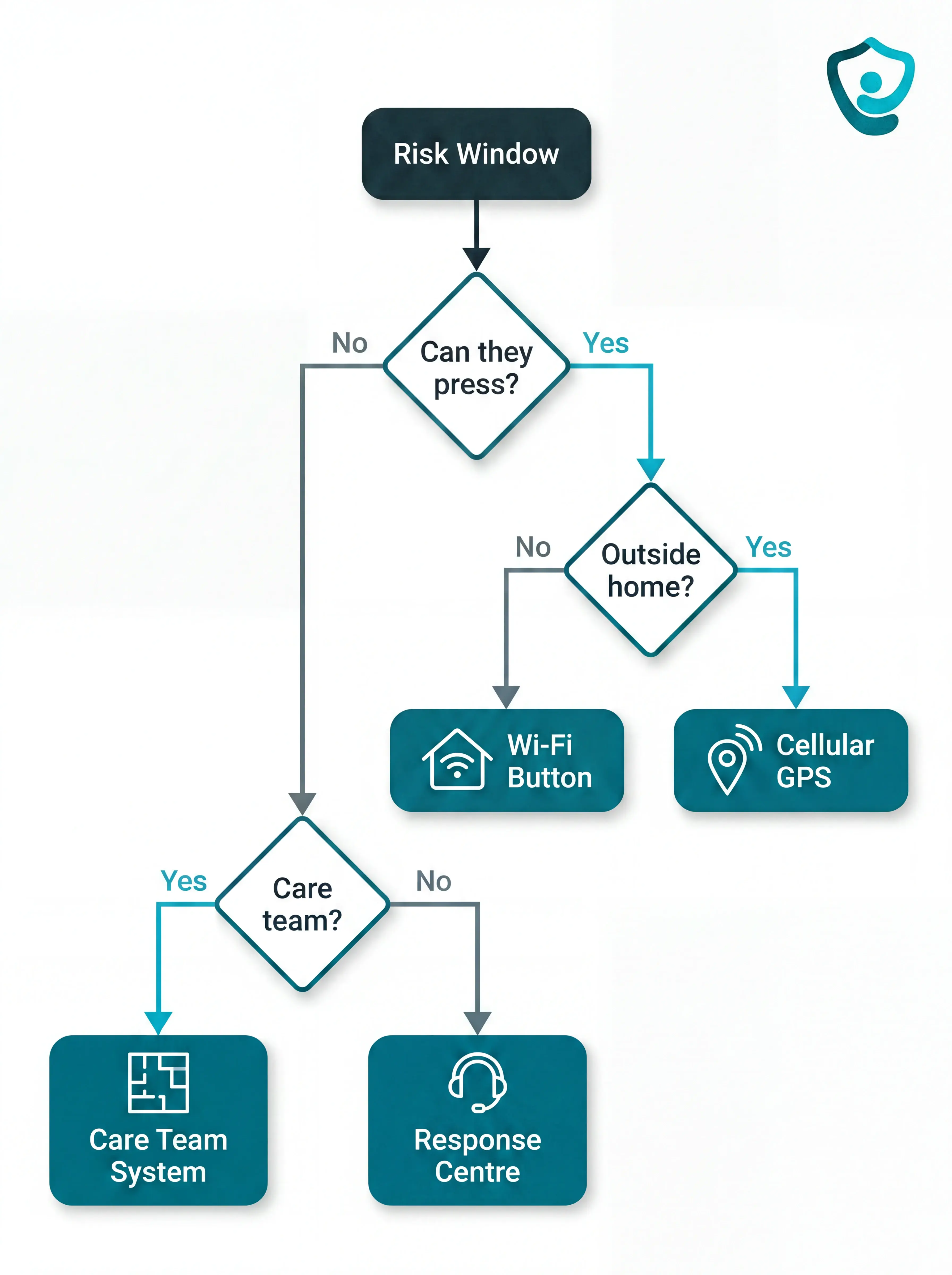
Choose by failure mode, not feature count. Start with the hardest moment the device must cover.
That usually means one of three risk windows:
An unwitnessed fall: The person cannot press or speak.
A trip outside: The alert needs cellular GPS or phone-based location, not a home hub.
A care-home response: Staff need room, bed, or zone context.
When room, bed, or zone context drives the choice, use the care-home nurse call guide for routing and escalation criteria.
Setup and reliability checklist
Match connectivity to the real environment. Test CallToU, MOBI, and Nomo on the exact 2.4 GHz router and rooms, and test Silent Beacon with the paired phone in a pocket.
Router outage: Unplug the router and confirm who notices the lost connection.
Hub range: Press the button from the bedroom, bathroom, and garden door.
Phone settings: Turn on Do Not Disturb and confirm the alert still appears.
Decide who must receive the alert. Philips routes through a response center, while Nomo, CallToU, Silent Beacon, SecuLife, and MOBI can notify designated contacts directly.
For care homes, prioritize room or bed context so staff know where to go.
Check what happens if the person cannot press. Treat CallToU, Silent Beacon, and MOBI as call buttons unless the vendor proves automatic detection.
Ask vendors for evidence before buying:
PERS certification: Request UL 1637 or ETL/Intertek listing where the device is sold as a personal emergency response system.
Monitoring accreditation: For dispatch services, ask whether the response center is UL-listed or TMA Five Diamond.
EU compliance: For European care homes, check CE marking under EU MDR and ask which notified body reviewed the device.
Fall-detection testing: Ask which protocol the vendor uses, such as EN 50134 social alarm testing or documented real-world fall scenarios.
Match portability to daily routine. CallToU, Nomo, and MOBI are home-bound. SecuLife, Philips On the Go, Silent Beacon, and Guardian's GPS safety watch cover different mobile use cases.
Calculate the first-year cost. Compare hardware, monthly monitoring, activation fees, and app limits before choosing a button.
Guardian has no public price because care homes start through a scoped pilot. If a care home needs staff routing inside the building and GPS coverage outside, the next section explains where Guardian fits.
When a care home needs more than an alert button
For care homes, the buying decision is less about one pendant and more about response time, alert quality, and records. Research in npj Digital Medicine linked remote monitoring and early intervention with 31% lower hospital costs and 49% fewer ambulance calls.
That study did not test Guardian's exact product mix, but it shows why prevention data matters before a larger rollout.
Guardian lets a care home test that prevention case on one ward, using live alert data instead of another standalone button purchase.
Baseline comparison: record response times and fall incidents before installation, then compare live pilot alert volume against the same period.
Ward-level evidence: track attended alerts by room and resident, with event type recorded for each response.
Rollout decision: use the pilot report to review staff feedback and ROI before deciding which rooms should get Guardian next.
After 6-8 weeks, management has concrete ward data for the next budget or safety meeting.
Tell us which ward you want to test Guardian on. We usually reply within 2 business days.
Still comparing individual alert buttons? The FAQs below move from cost to funding, then from travel range to multi-caregiver alerts.
Yes. CallToU and Silent Beacon work with no monthly fee after the hardware purchase. MOBI's basic app alerts are also free.
What free includes depends on the alert path:
CallToU: one-time hardware purchase, app push alerts through Tuya or Smart Life, no recurring fee for basic phone notifications.
Silent Beacon: free app, one primary call contact, and a second emergency contact if the number uses the same country code.
MOBI: free basic app alerts and monitoring, with optional paid 24/7 professional monitoring.
Check the fine print before buying. Some Wi-Fi button systems keep push notifications free but charge for SMS texts or direct voice calls.
Nomo is different. App notifications and Care Circle escalation need a monthly subscription.
Traditional Medicare, Parts A and B, does not cover personal emergency alert buttons or medical alert systems.
Other programs may help, but coverage depends on the plan and state eligibility rules:
Medicare Advantage: some Part C plans include PERS devices as a home safety or support benefit.
Medicaid waivers: some HCBS waiver programs cover alert buttons when the person meets state care criteria.
VA benefits: eligible veterans may be able to get support through VA programs.
Local aging programs: Area Agencies on Aging sometimes help with devices or referrals.
Long-term care insurance: some policies include personal emergency response systems as a covered benefit.
Ask the plan directly: "Do you cover PERS or medical alert devices this year, and which supplier do I have to use?"
Then confirm whether the covered device works only at home or includes GPS for trips outside.
Home-range systems depend on Wi-Fi or a plug-in hub. In this list, CallToU, MOBI, and Nomo are home-bound.
Home-range systems usually work like this:
CallToU: the button must stay within range of the receiver hub and home Wi-Fi.
MOBI: the button depends on the plug-in gateway, so it is for in-home monitoring.
Nomo: alerts depend on the home hub and Wi-Fi network, with no GPS coverage.
Mobile options split by alert path:
SecuLife: uses cellular service and GPS location, so it can work away from home where signal is available.
Philips On the Go: uses 4G service with GPS and Wi-Fi positioning for monitored away-from-home alerts.
Silent Beacon: can work outside only if the paired smartphone is nearby, charged, and connected by Bluetooth.
Guardian: care-home alerts use in-building sensors and floor-plan context. Mobile home care uses a GPS-enabled safety watch.
Confirm who receives the location alert before choosing any out-of-home device.
Yes, but the routing differs. Some caregiver alert products notify several people at once, while others call contacts in sequence or route through a care-team portal.
The setup varies by device:
Nomo: alerts a Care Circle by app, text, and voice before optional monitoring escalation.
CallToU: shared Tuya or Smart Life accounts receive the same push alert.
MOBI: emergency contacts in the app receive instant notifications.
Silent Beacon: sends alerts to contacts while calling the primary contact.
SecuLife: dials family contacts in sequence and sends location details.
Guardian: staff phones, tablets, and nurse station computers receive the resident's name and live floor-plan location.
For urgent situations, test the missed-alert path. Push notifications can be muted by Do Not Disturb or low volume during a busy shift.

Author
Aleks Timm
Aleks Timm leads Guardian and builds privacy-first operations technology for care homes and home care providers. Teams get location-aware alerts they can act on, clearer situational awareness, and measured insight into how care work actually runs.
Read MoreRecommended reads
Keep reading
WiFi nurse call system guide for care homes
WiFi nurse call systems explained: alerts, clean records, and no wiring—compare options and choose the right setup for your care...
Read more
Remote patient monitoring: a complete guide
Remote patient monitoring: the complete guide to sensors, benefits, and buying tips for safer care homes and better resident...
Read more
Caregiver alert systems for care homes
Caregiver alert systems for care homes help staff respond faster with room-level alerts. Learn what to buy to prevent harm and save...
Read more