

9 apps and devices to track an elderly parent
In this article
Choose a way to stay informed that your parent is comfortable using. These nine options start with the same practical questions: what will your parent reliably carry and charge, and what will they share?
Daily updates help you decide when to call or check in. Emergency response and wandering protection need specific capabilities, so check those separately rather than assuming location sharing covers them.
Which tracking method fits your parent?
A phone app fits a parent who keeps their phone nearby and agrees to sharing. For emergency response or wandering concerns, check who receives alerts and how help reaches your parent.
If your main question is whether today looks normal, rather than how to trigger emergency response, start with the first option.
1. Guardian for Families
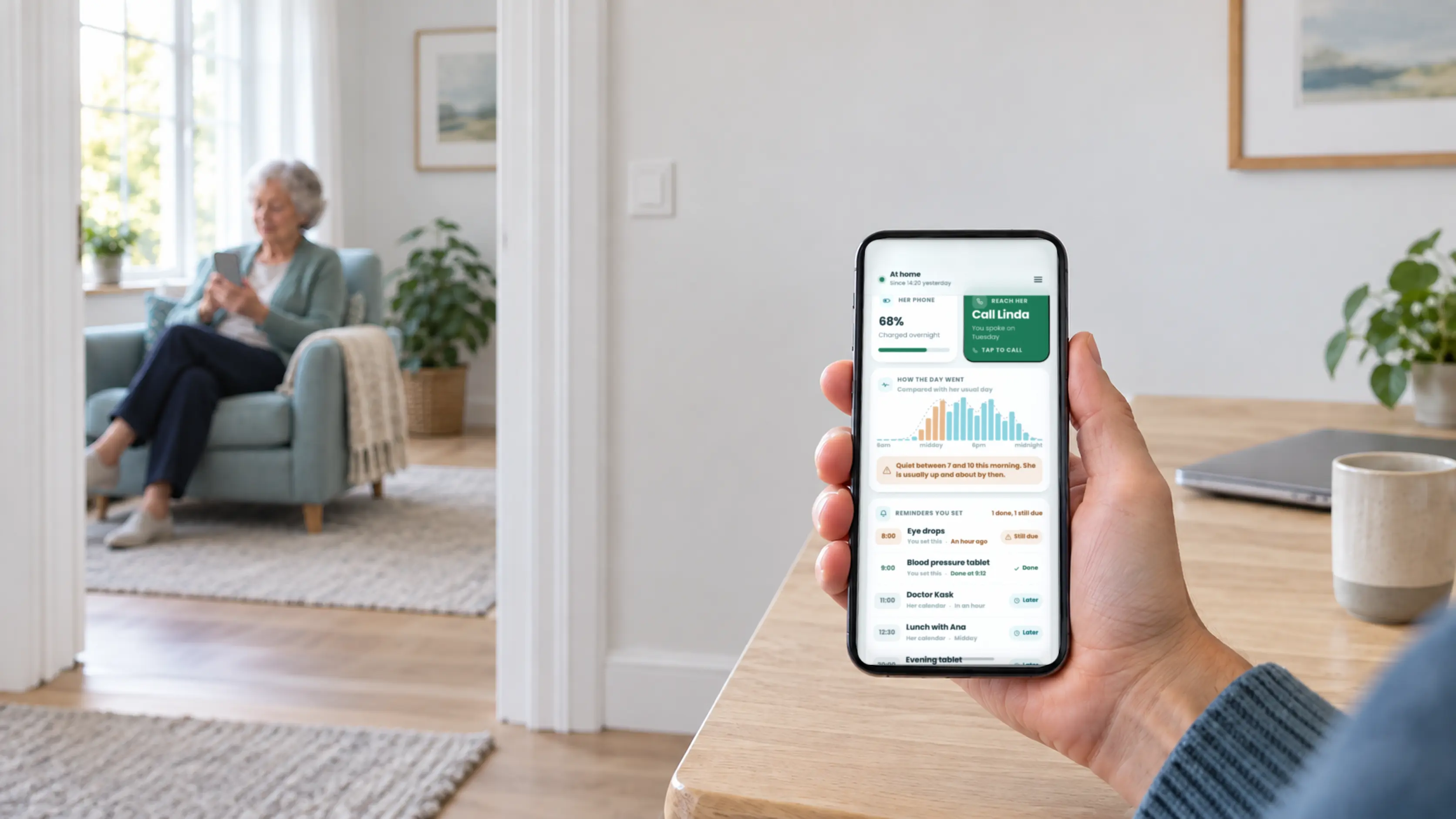
Guardian for Families is best suited to families who want agreed daily context before deciding whether to call. It uses the phones both people already carry, so there is no new device to learn.
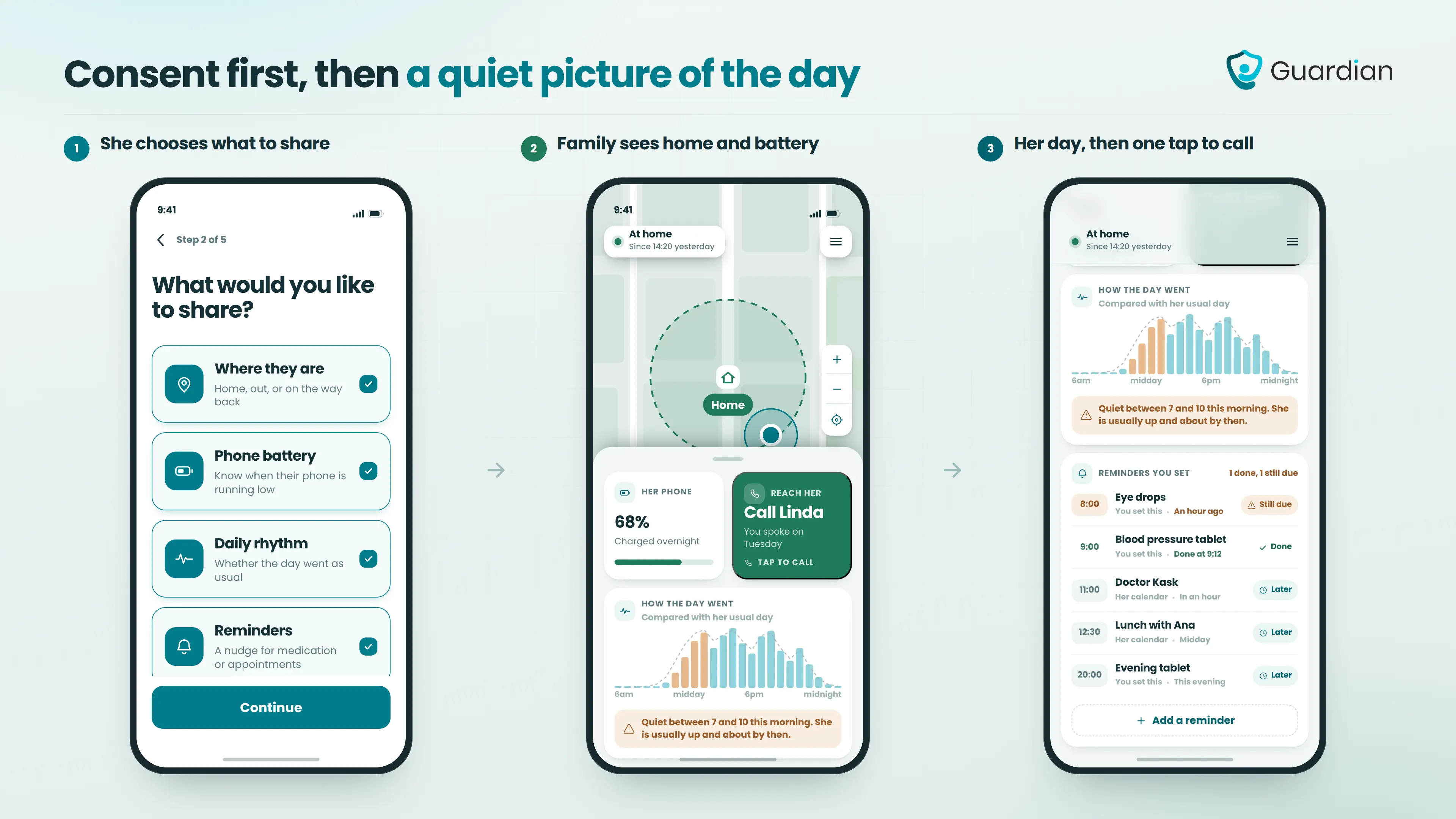
We built the app around permission first. The supported person chooses what family members can see, while relatives check shared updates instead of guessing from a missed call.
What family members can see
Family members see only the information the supported person has agreed to share:
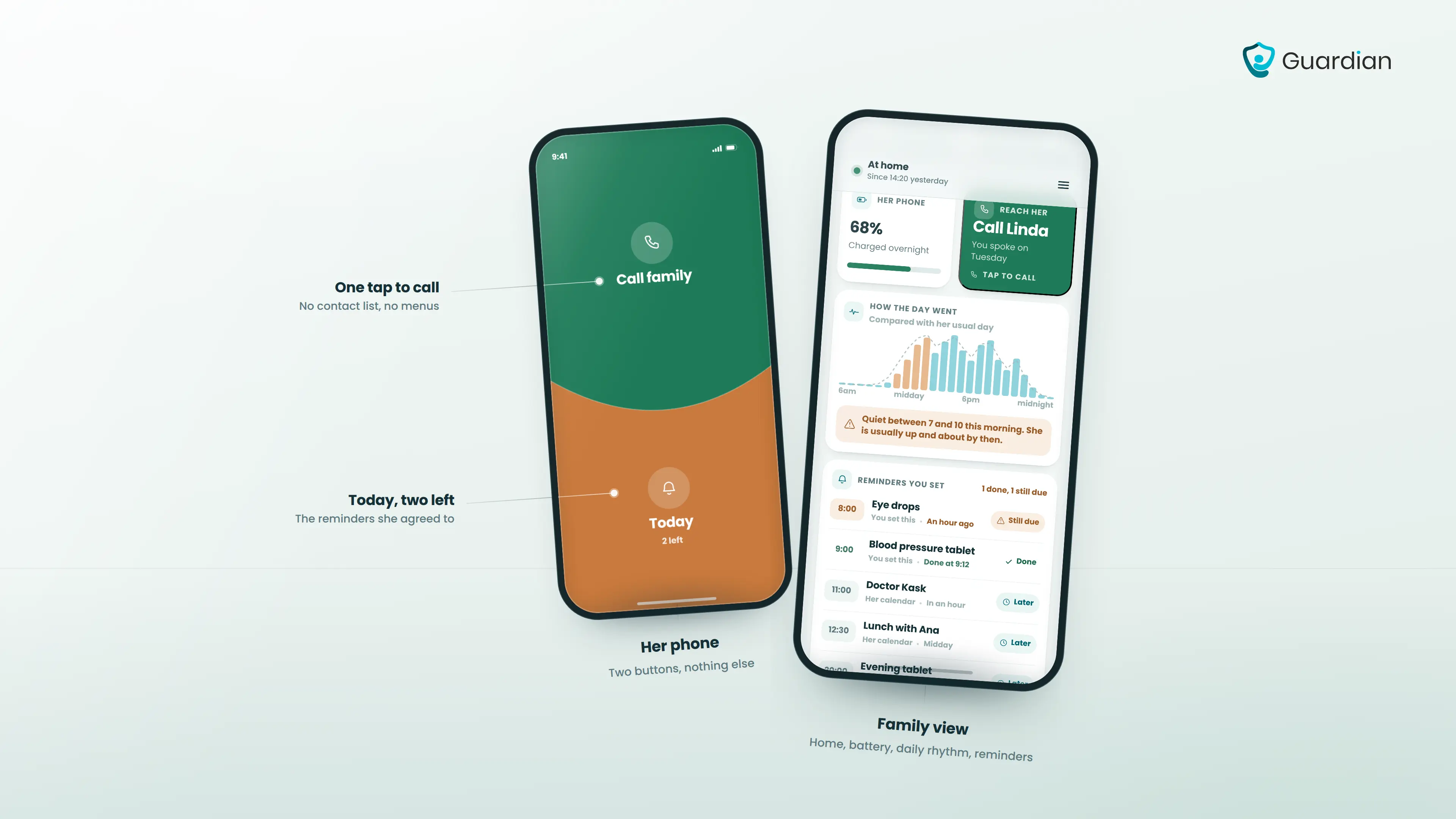
Location and home status: Check the agreed location and whether the person is at home.
Phone battery: See the current battery level and whether a charge reminder may be useful.
Daily rhythm: Notice the person’s usual pattern and unusual changes before deciding to check in.
Reminder completion: See whether an agreed reminder, such as taking tablets, has been marked done.
What the supported person gets
The supported person keeps a clear view of communication, reminders, and every active sharing choice:
One-tap family calling: Call a connected family member without searching through contacts.
Hold-to-talk: Send a quick voice message by holding the talk control.
Today’s calendar: See today’s appointments and reminders in one place.
Visible sharing status: See when sharing is active and which family members are connected.
Permission control: Choose what each person can see and stop sharing at any time.
How to set up Guardian for Families
Setup starts with a conversation, then takes three steps on compatible iPhone or Android phones:
Install the app on both phones. Each person gets a view made for their role.
Agree what to share. The supported person sets permissions and can review or change them later.
Check in when something changes. Use the shared context to decide whether a call is needed.
Limitations
Guardian for Families supplies daily context rather than emergency response. The app does not detect falls or contact emergency services automatically.
Updates depend on the supported person’s phone being carried, charged, connected, and permissioned to share the agreed information.
Guardian for Families is currently in early access. Join the early-access list to hear when access opens.
2. Life360
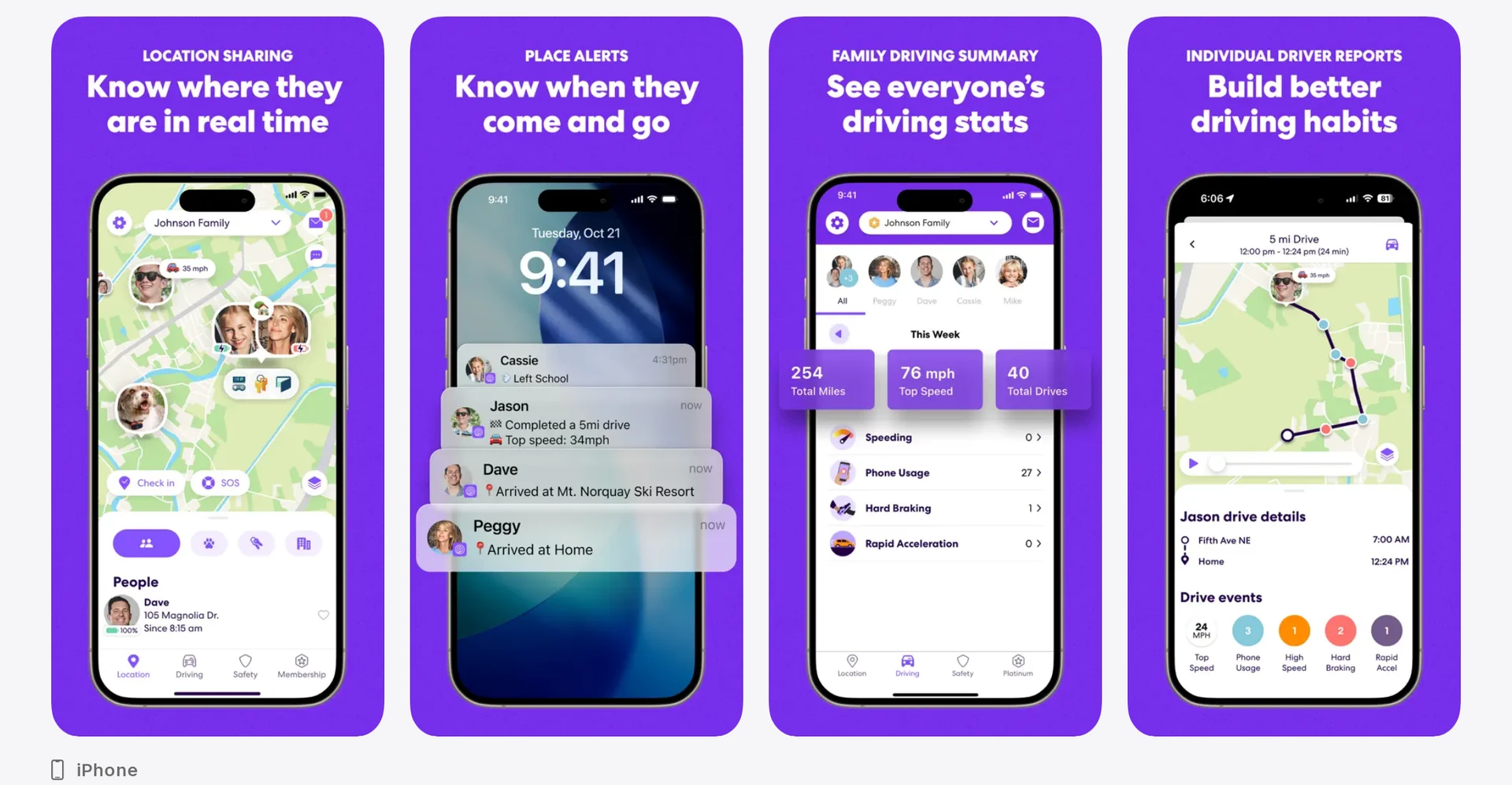
Life360 is a phone-based family location app for iPhone and Android. It fits mixed-device households that need live location, place alerts, history, and optional driving features, provided the parent reliably carries a charged phone.
Life360 members can create a Privacy Bubble up to 25 miles wide for six hours. Other Circle members see the approximate area rather than a precise position, although safety features can reveal the location during an emergency.
Location visibility ends when the parent’s phone is left behind, switched off, or unable to report its position.
How location sharing and place alerts work
Life360 places participating phones in a private Circle and reports their locations on a shared map. Place, SOS, and eligible crash alerts come from the phone running the app.
From the map, family members can access:
Current location across iPhone and Android
Location history for reviewing previous movement
Place alerts when a phone enters or leaves a configured area
Driving information and SOS alerts from participating phones
Vehicle Crash Detection is included with Silver and higher plans. Gold and Platinum can contact emergency services after a detected major crash when Life360 cannot reach the member.
What your parent needs to do to be tracked
The parent needs a charged smartphone with Life360 installed, location access allowed, and background operation enabled.
Reliable updates depend on four conditions:
Keep the phone with the parent rather than on a charger in another room.
Charge the battery so location reporting can continue throughout the day.
Location permission stays on for Life360.
Allow Life360 to run in the background so the app can send updates.
Life360 does not monitor room-level movement or changes in routine inside the home.
Cost and subscription
Life360 has a free plan and three paid plans. Paid tiers add capabilities such as expanded place alerts and vehicle crash features.
Apple Find My and Google Maps Location Sharing have no separate tracking subscription. Life360’s paid tiers apply when a family needs its additional alert, history, or driving features.
Plan | Price |
|---|---|
Free | Free |
Silver | $9.99/month |
Gold | $16.99/month |
Platinum | $24.99/month |
3. Find My by Apple
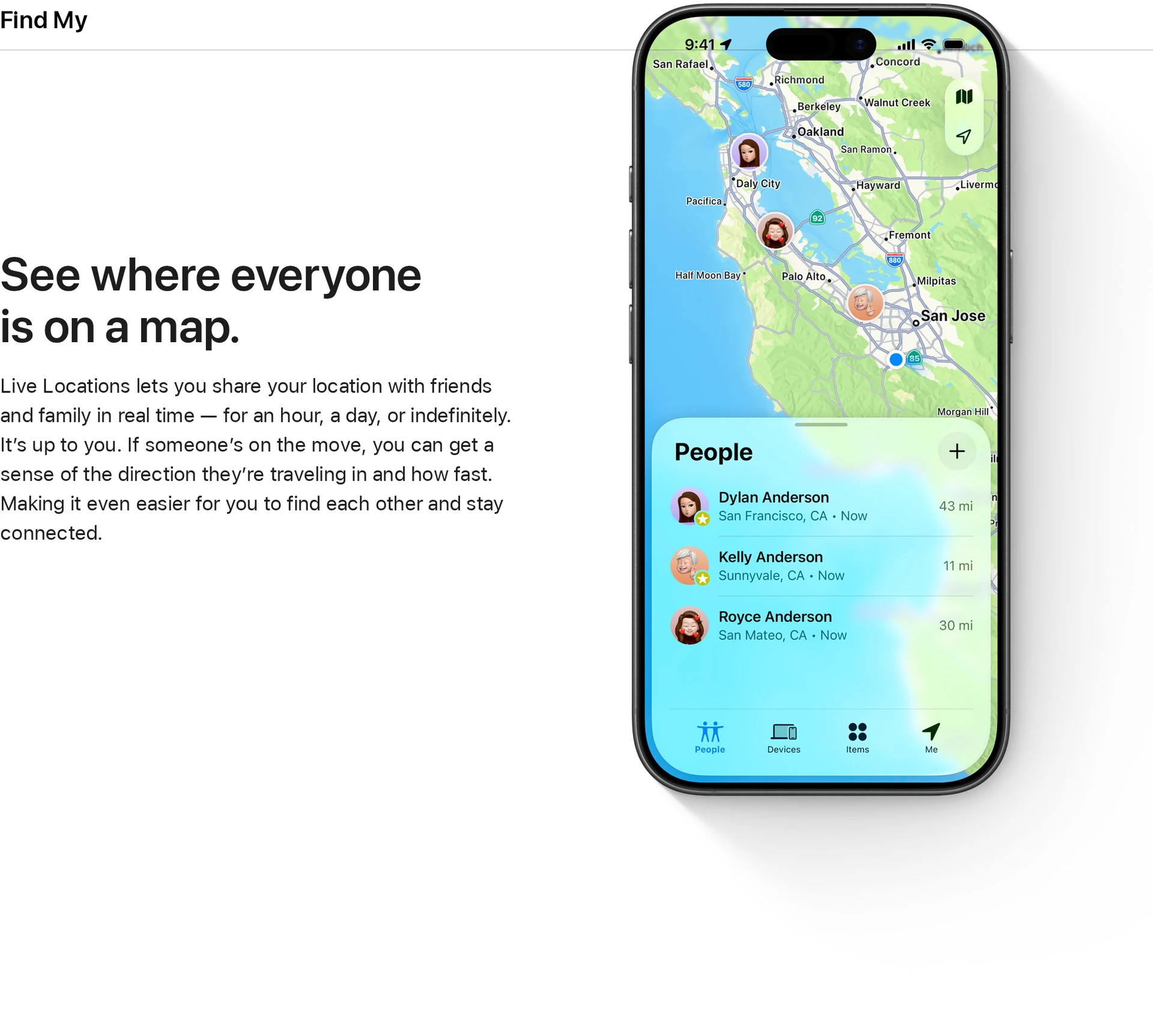
Find My fits Apple households that need current person-to-person location and arrival or departure notifications without a separate subscription. It provides less route history and cross-platform access than dedicated family tracking apps.
Find My reports a shared person’s current position but does not retain a route history. Caregivers therefore have fewer past movements to review than they would in Life360.
The service suits families already using Apple devices who need current location and place notifications. Mixed iPhone and Android households face more access friction because person-to-person sharing is built around Apple accounts and hardware.
Location accuracy and update reliability
Find My can stream live location between supported Apple devices. Update reliability still depends on the parent’s device, battery, connectivity, and location settings.
With person-to-person sharing enabled, a caregiver sees the parent’s current position and can set arrival or departure notifications. Finding an iPhone or AirTag is a separate device or item workflow with different limitations.
Device compatibility and setup
Both people need compatible Apple hardware and Apple account access for the standard person-sharing workflow. There is no separate tracking subscription.
An iPhone can share the parent’s location, while a compatible Apple Watch can provide another connected device. An Android-only caregiver does not get the same native person-sharing workflow.
Find My is included with compatible Apple hardware. The family still bears the cost of the devices and any cellular service required to keep the parent’s iPhone or watch connected away from Wi-Fi.
4. Google Maps Location Sharing
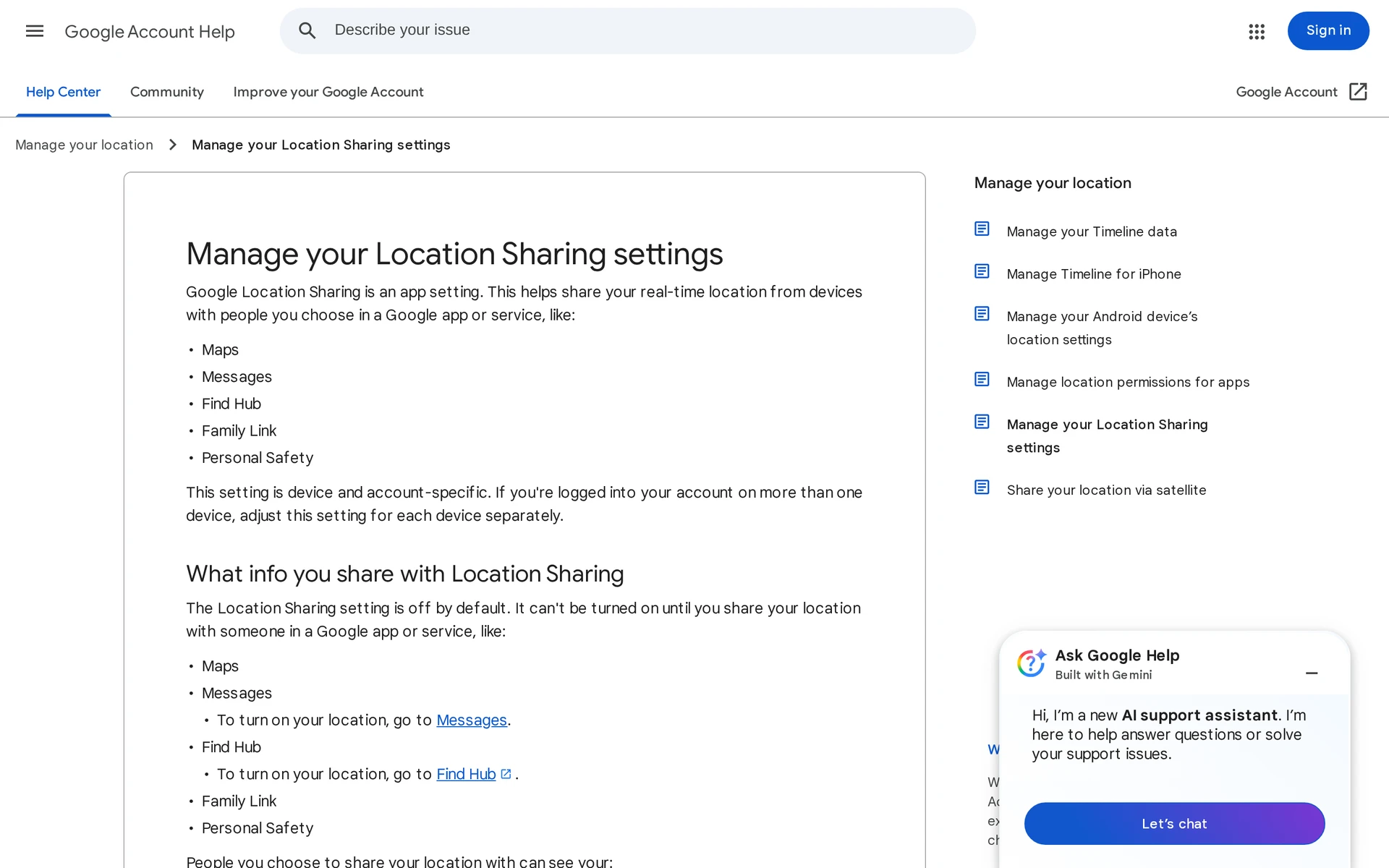
Google Maps Location Sharing is a free, software-only feature for sharing a smartphone’s live position. Caregivers can view the phone’s location, battery level, and charging state on iPhone, Android, or the web.
Google Maps fits a cross-platform household when the parent can keep a smartphone powered, permissioned, and running in the background. It does not require dedicated tracking hardware.
How sharing works across iPhone and Android
The parent shares location from Google Maps to selected contacts for a chosen duration. Recipients can view updates on iPhone, Android, or the web while the sharing phone remains online and permitted to report location.
Updates can become stale when the phone restricts Google Maps in the background. Check these settings before relying on place notifications:
Battery optimization for Google Maps
Low Power Mode or its Android equivalent
Background location permission
Force-closed app state
Caregivers can create arrival or departure notifications for up to five locations per tracked contact. Google informs the parent when a location notification is created.
Google Maps does not detect safety or health events:
Personal incidents: falls or medical events
Vehicle incidents: crashes or emergency response needs
In-home activity: room movement, bed exits, or unusual inactivity
Setup and privacy controls
The parent controls sharing and can stop it at any time. Google Maps has no caregiver lock that prevents changes to sharing or location settings.
Location updates stop when the parent ends sharing, disables location access, uses Airplane Mode, or prevents Google Maps from running. Families should treat continued sharing as an ongoing consent and setup requirement.
Google Maps does not include emergency-response hardware or services:
No physical SOS control
No monitoring centre or fall-response workflow
No integrated emergency dispatch
No tracker speakerphone for two-way calls or remote audio
Location Sharing has no separate fee and uses the parent’s existing phone and data connection. Background location permission and battery-management settings must remain configured for updates to stay current.
5. Mobile GPS by Medical Guardian
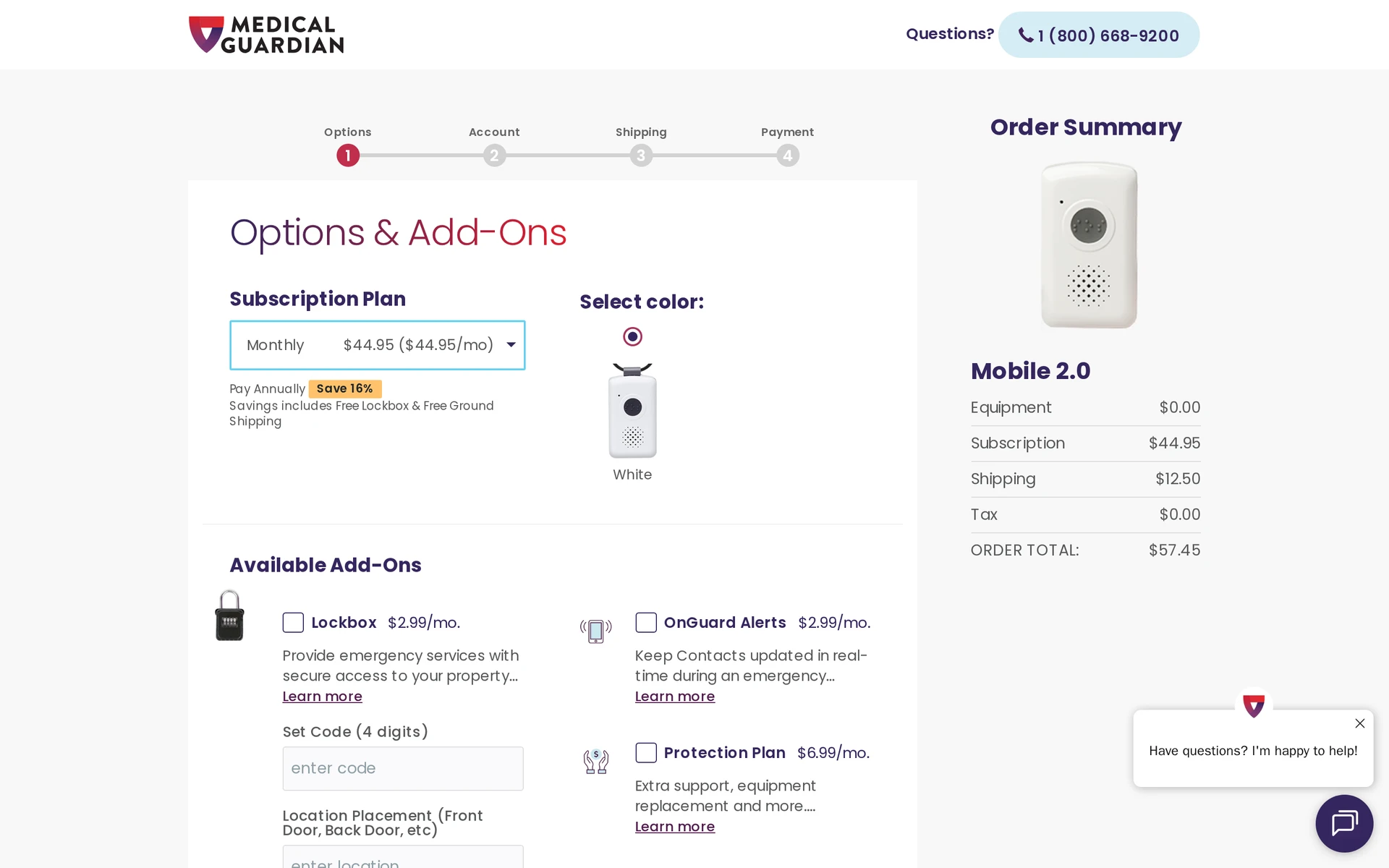
Medical Guardian’s Mobile GPS suits an older adult who will consistently wear a dedicated alert device and needs a staffed response service rather than a family-only location notification.
The device works without the parent carrying a smartphone. Its OmniSIM connection can use AT&T or Verizon 4G LTE according to available signal.
GPS tracking and SOS response
Mobile GPS combines GPS, Wi-Fi, and cellular positioning, while caregivers can check the wearer’s location through Medical Guardian’s caregiver tools.
SOS response: Pressing the button opens two-way voice with a professional monitoring operator.
Network access: OmniSIM selects between AT&T and Verizon 4G LTE based on available signal.
Wear requirement: Manual SOS response depends on the parent wearing the device and being able to press its button.
Device, charging, and monthly plan cost
Medical Guardian lists separate hardware, monitoring, and optional fall-detection charges:
Hardware: $99.99 to $149.95
Month-to-month monitoring: about $44.95 per month
Annual billing: Annual billing may use a different monitoring rate from month-to-month service.
Fall detection: $10 per month
The device must remain charged and worn for location and SOS functions to help.
6. SOS Mobile by Bay Alarm Medical
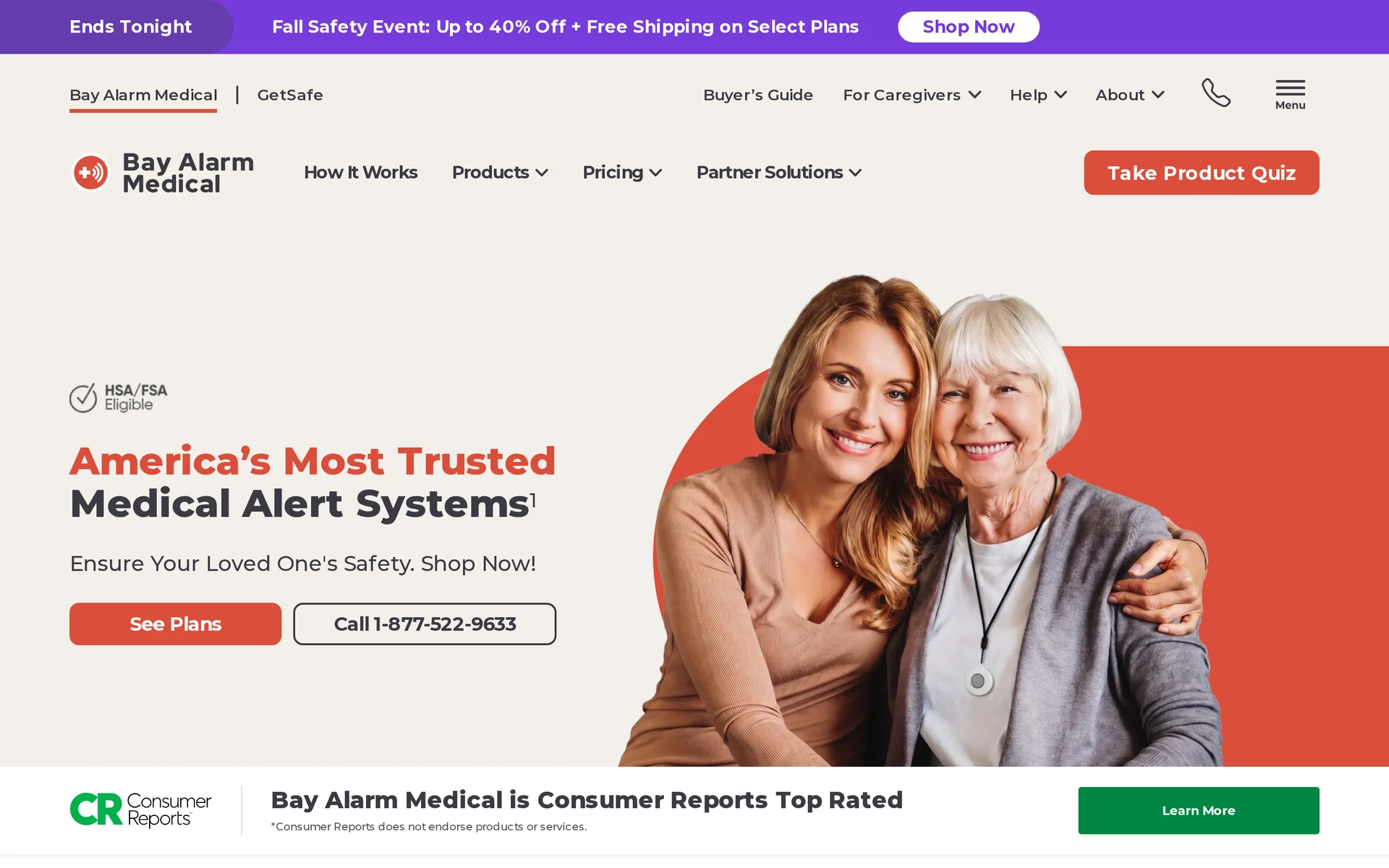
Bay Alarm Medical’s SOS Mobile suits an older adult who will wear a water-resistant pendant and needs professional emergency monitoring without carrying a personal phone.
SOS Mobile requires regular charging, although it is not presented as a daily-charge watch. If the pendant is misplaced at home, Device Finder can make it sound a locating tone.
Emergency response and fall detection
SOS Mobile connects the wearer to a professional emergency operator through two-way audio when the SOS button is pressed.
Fall detection: Automatic fall detection is optional and adds about $10 per month.
Manual response: The SOS button depends on the parent wearing the pendant and being able to press it.
Scope: SOS Mobile tracks the carried pendant; it does not monitor routines elsewhere in the home.
Pricing and contract terms
Bay Alarm Medical lists three separate charges:
Hardware: about $79 to $99
Monitoring: $29.95 to $34.95 per month
Optional fall detection: about $10 per month
A discharged or unworn pendant cannot send its location or open an SOS call with the monitoring operator.
7. Theora Connect
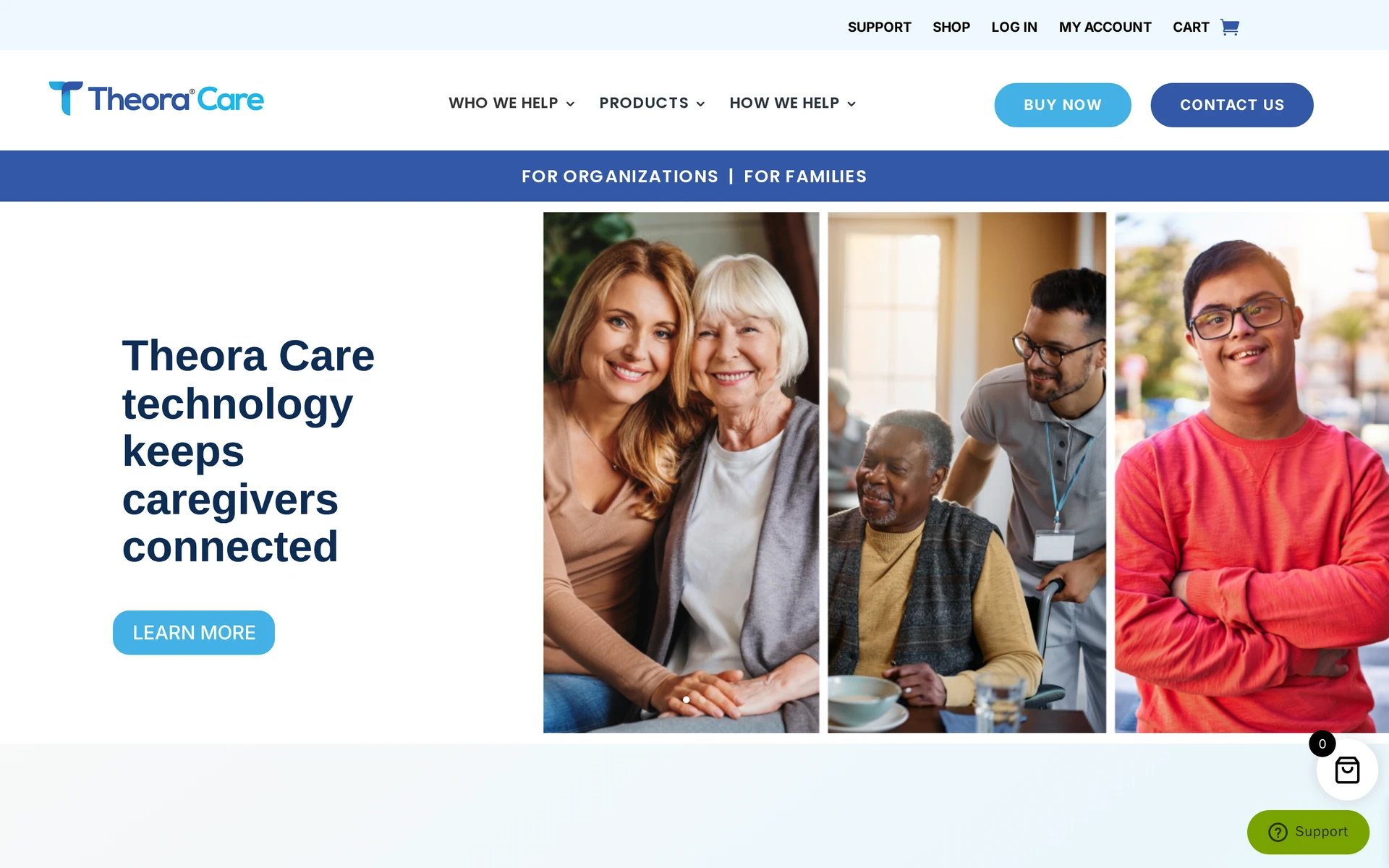
Theora Connect fits a parent with cognitive decline who accepts a watch but may remove an ordinary wearable or miss a call. Its locked clasp and caregiver controls reduce those points of failure.
The watch combines a keyed locking clasp with caregiver settings, shown below. Approved caregivers can use auto-answer calling to speak to the wearer without a tap.
GPS tracking and caregiver visibility
Theora Connect uses its own cellular connection for GPS tracking, so the parent does not need a smartphone.
Location: Caregivers can view the watch’s location and receive GPS safe-zone events.
Safety alerts: Fall alerts come from the same worn device.
Voice contact: Auto-answer lets a caregiver connect even when the wearer does not operate the watch.
Wearability and charging
Theora Connect has separate hardware and cellular-service costs:
Hardware: typically $199 to $249
Cellular service: about $25 to $49.95 per month
Tracking, alerts, and calling work only while the watch is worn and charged. The keyed clasp can reduce removal, but a parent who refuses wristwear needs another monitoring approach.
8. AngelSense GPS
AngelSense is a cellular GPS wearable for people at elevated risk of leaving a safe area unnoticed. It combines locked wear with caregiver location and voice tools.
AngelSense uses a dedicated cellular wearable rather than the parent’s smartphone.
Tracking depends on the locked wearable remaining on the person and following its charging routine.
Real-time GPS tracking and alerts
AngelSense is continuous cellular GPS with 10-second Runner Mode updates, live search links, and wandering geofence alerts.
Runner Mode refreshes the location every 10 seconds. A caregiver can generate a temporary live link for police, dispatchers, or search teams during an active search.
AngelSense supports unlimited custom and automatically learned safe zones. Its alerts cover:
Unexpected departure or late arrival
Transit route deviations
Unauthorised stops
AngelSense service has three billing options:
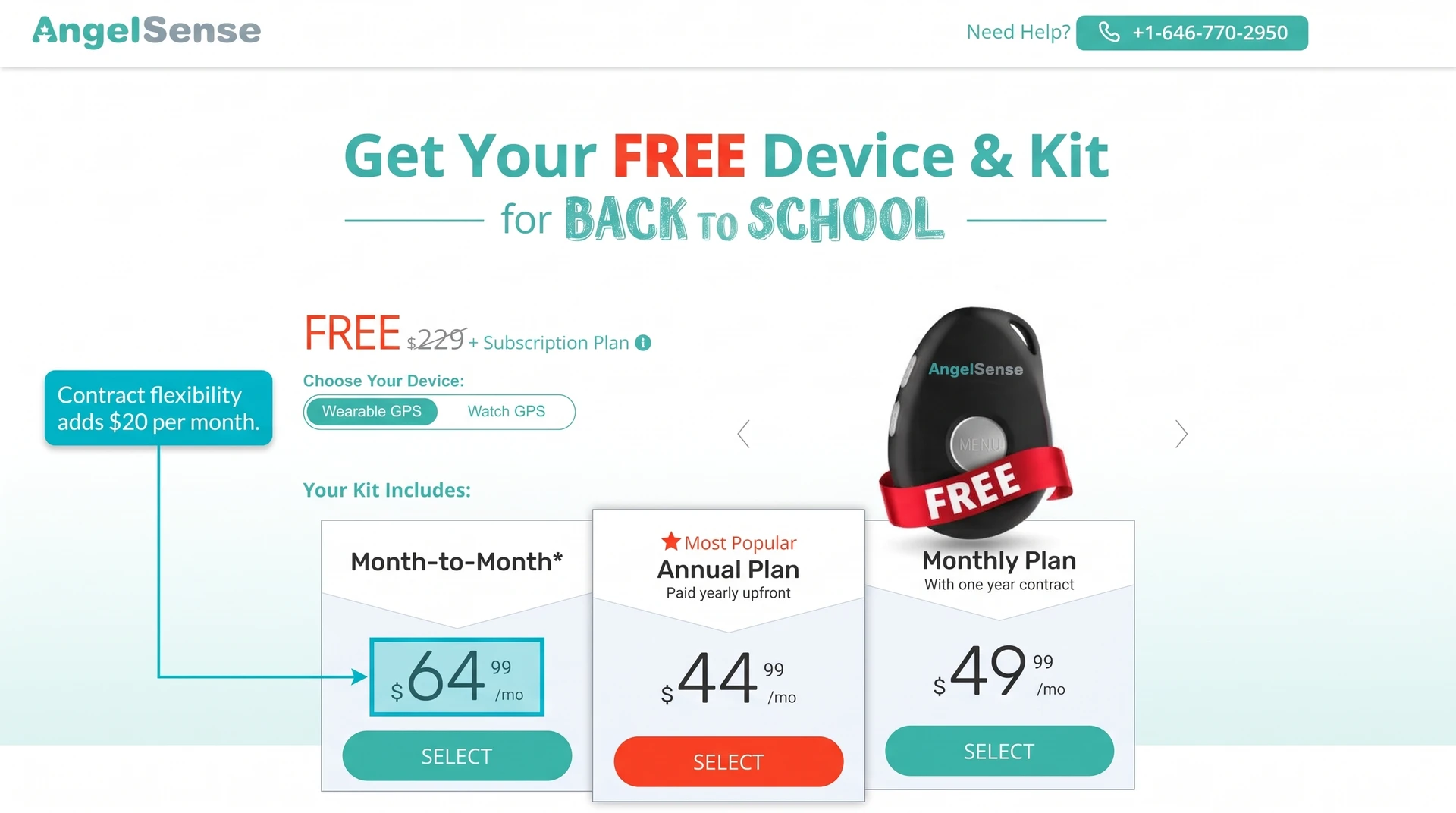
$44.99/month with annual billing
$49.99/month on a one-year contract
$64.99/month month to month
For comparison, Theora Connect cellular service is typically $25 to $49.95 per month after $199 to $249 for the watch.
Suitability for an independent parent
AngelSense cannot report location when its wearable is removed or uncharged. Passive home sensors can monitor routine changes indoors, but outdoor location still requires a carried or worn GPS device.
9. AirTag by Apple
AirTag is an item locator, not a personal safety tracker. It reports through Apple’s crowdsourced Find My network and is best treated only as a secondary location aid for a tagged possession.
An AirTag costs $29, or $99 for four, with no recurring fee. Its replaceable CR2032 battery is rated for more than one year.
How location updates depend on nearby devices
AirTag has no onboard GPS or cellular radio. Its location updates depend on a nearby Find My device detecting it.
Nearby Apple devices detect an AirTag and relay its location through the crowdsourced Find My network. Compatible iPhones can use directional finding when the tag is close.
Location updates pause when no nearby Apple device detects the AirTag, particularly where Find My network coverage is sparse.
Risk of separation from your parent
AirTag tracks the object it is attached to, not the person, so a dropped bag or left coat ends the trail.
An AirTag should not be used to monitor an adult without informed consent. Apple also uses audible alerts and device notifications to discourage unwanted tracking, which can make an AirTag unsuitable for monitoring a person.
If the tagged coat, bag, or wallet is left behind, Find My follows that object. Caregivers see the item’s latest crowd-sourced location rather than the parent’s current position.
Tracking apps and devices compared
Join Guardian for Families early access to see how their day is going before you decide whether to call.
Option | Method and parent burden | Information available | SOS or response |
|---|---|---|---|
Guardian for Families | Two compatible phones; consent-based sharing; no extra hardware | Agreed location/home status; battery; daily rhythm; reminders | Family members decide when to call or check in |
Life360 | Carried, charged iPhone or Android phone | No room-level monitoring | App SOS and eligible crash response |
Find My | Compatible Apple device with sharing enabled | No room-level monitoring | No monitored medical response |
Google Maps | Carried phone with background location enabled | No room-level monitoring | No physical SOS or monitoring centre |
Medical Guardian Mobile GPS | Charged, worn cellular alert device | Tracks the device, not household routines | Two-way monitored SOS |
Bay Alarm Medical SOS Mobile | Charged, worn cellular pendant | Tracks the pendant, not household routines | Two-way monitored SOS |
Theora Connect | Charged, worn cellular watch with locking clasp | No passive household routine coverage | Fall alerts and caregiver auto-answer |
AngelSense GPS | Charged, locked cellular wearable | No passive household routine coverage | Caregiver alerts, voice tools, and live search links |
AirTag | Tagged object within reach of the Find My network | No activity or wellbeing monitoring | No SOS or monitored response |
Daily context or emergency response: Decide whether you need routine updates for family check-ins or a service built around SOS events.
Consent and control: Agree what your parent will share and confirm they can change or stop access.
Charging and carrying: Check whether your parent can keep the required phone or device charged and with them.
Who responds: Name the family member or monitoring centre expected to act when the service raises an alert.
Dedicated hardware: Decide whether a separate wearable, pendant, or tracker is acceptable for daily use.
What tracking apps don't tell you about a parent at home
A map pin tells you where your parent's phone is. It cannot show whether the battery is about to die, today's phone-based rhythm differs from usual, or an agreed reminder was completed.
Guardian for Families adds that daily context through the phones you both already use. The signals help you decide whether to call or check in when something has changed.
Sharing starts only with your parent's agreement. Your parent chooses what to share, sees who is connected, and can stop sharing at any time.
Guardian for Families does not detect falls or automatically contact emergency services.
Understand how your parent's day is going
Guardian for Families is an early-access app for you and the loved one you support, using the iPhone or Android phones you already have. Set it up together and agree what is shared.
Before calling, you can check the day's phone-based signals and see whether something changed from the usual pattern. That context helps you decide whether a quick message or check-in makes sense.
See whether your parent is home and view the location they chose to share.
Check the phone's battery level and send a charging reminder.
Notice a change in the phone-based daily rhythm.
See whether an agreed reminder was marked complete.
Yes. Your parent should understand and agree to location or activity sharing when they have decision-making capacity.
Guardian for Families lets your parent choose what to share, see who is connected, and stop sharing at any time. In England and Wales, capacity decisions follow the Mental Capacity Act 2005.
Guardian for Families is not suitable when your parent will not carry and use a compatible iPhone or Android phone.
A dedicated GPS wearable may suit outdoor wandering risk. The Alzheimer's Association says six in ten people living with dementia wander at least once.
No. Guardian for Families and standard location-sharing apps do not block scam calls.
Use the controls available on your parent's phone and mobile service:
iPhone: Turn on Silence Unknown Callers.
Android: Use Call Screen on supported phones.
Mobile provider: Enable the provider's scam filter, if available.
Do not install Guardian for Families unless your parent agrees to use it.
Ask which location or activity updates they are comfortable sharing.
Show them who is connected and when sharing is active.
Explain that they can stop sharing at any time.

Author
Aleks Timm
Aleks Timm leads Guardian and builds privacy-first operations technology for care homes and home care providers. Teams get location-aware alerts they can act on, clearer situational awareness, and measured insight into how care work actually runs.
Read MoreRecommended reads
Keep reading

Remote patient monitoring: a complete guide
Remote patient monitoring: the complete guide to sensors, benefits, and buying tips for safer care homes and better resident...
Read more
Caregiver alert systems for care homes
Caregiver alert systems for care homes help staff respond faster with room-level alerts. Learn what to buy to prevent harm and save...
Read more
Patient bed alarms for elderly & hospital care
Patient bed alarms help prevent falls in elderly and hospital care. Compare alarm types, choose the right sensor, and protect...
Read more