

9 Incident Reporting Systems for Resident Safety, Ranked
In this article
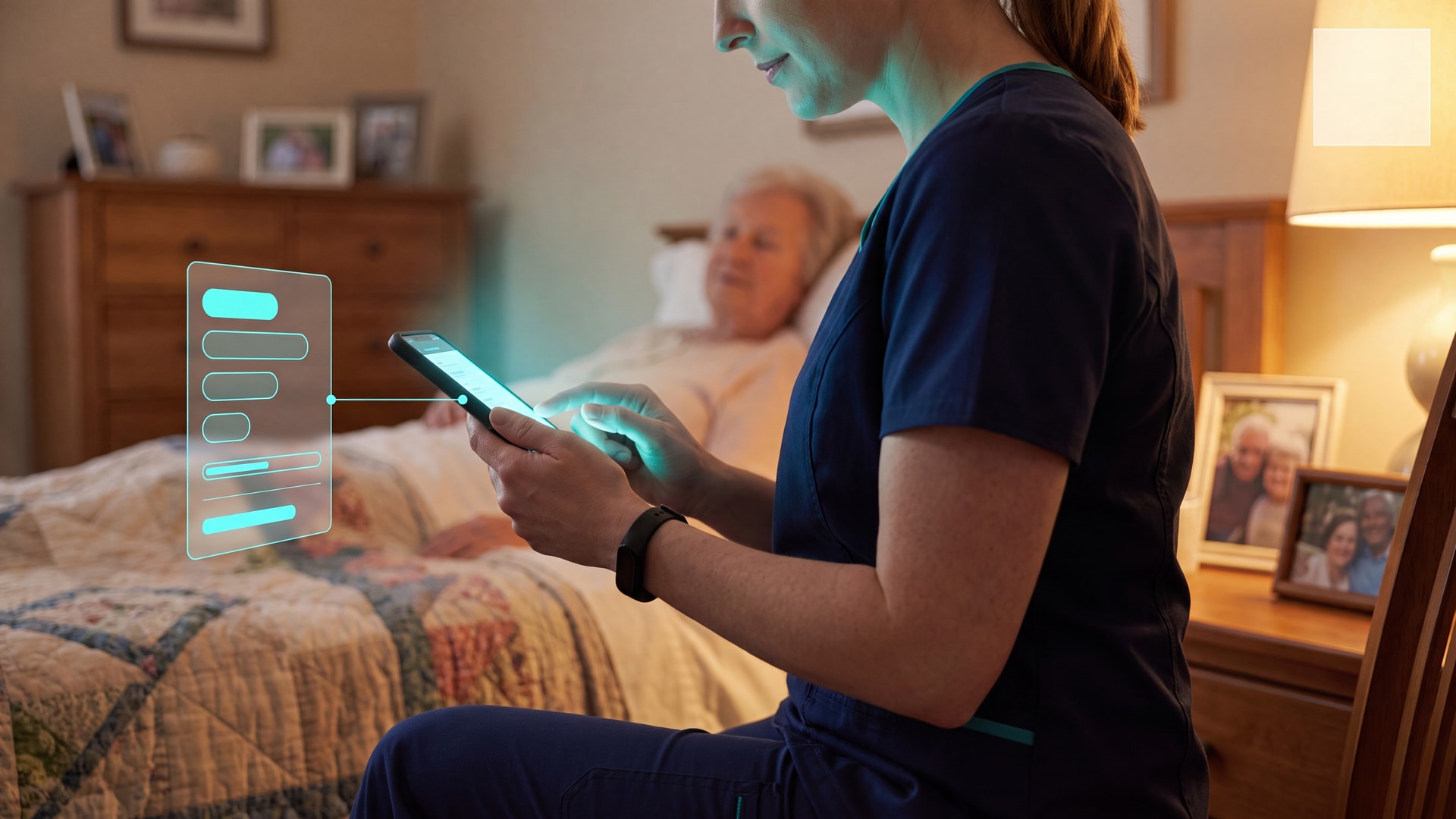
In a busy care home, incident reports are often written at shift end, from memory. Managers then lack a verified record of who responded, how fast staff arrived, or whether a round was completed.
This guide ranks 9 incident reporting systems by whether each system turns an event into a clear, usable record.
The comparison runs from modern wireless platforms to traditional pendants and manual logs, so you can choose a system that reduces shift-end paperwork.
How we ranked these systems
Our ranking uses a practical care-setting framework. The table shows the criteria behind the order.
Regulatory readiness created the clearest split. Guardian and Tunstall include institutional audit or activity logs; Apple Watch, Lifeline, Smart Caregiver, and DIY logs do not.
The remaining criteria separate facility systems, home-monitoring tools, and manual methods. Pricing signals throughout are US-listed reference points, so EU buyers should confirm local pricing and currency directly.
Criterion | Why it mattered in ranking |
|---|---|
Target environment | Separated multi-resident care systems from single-user home alert tools |
Centralized reporting | Determined whether managers could review incidents beyond the moment of the alert |
Incident detection method | Distinguished passive detection from button-dependent or fully manual reporting |
Regulatory compliance support | Affected suitability for regulated care operations and audit trails |
Hardware deployment cost | Helped compare operational tradeoffs across low-cost and enterprise setups |
1. Guardian
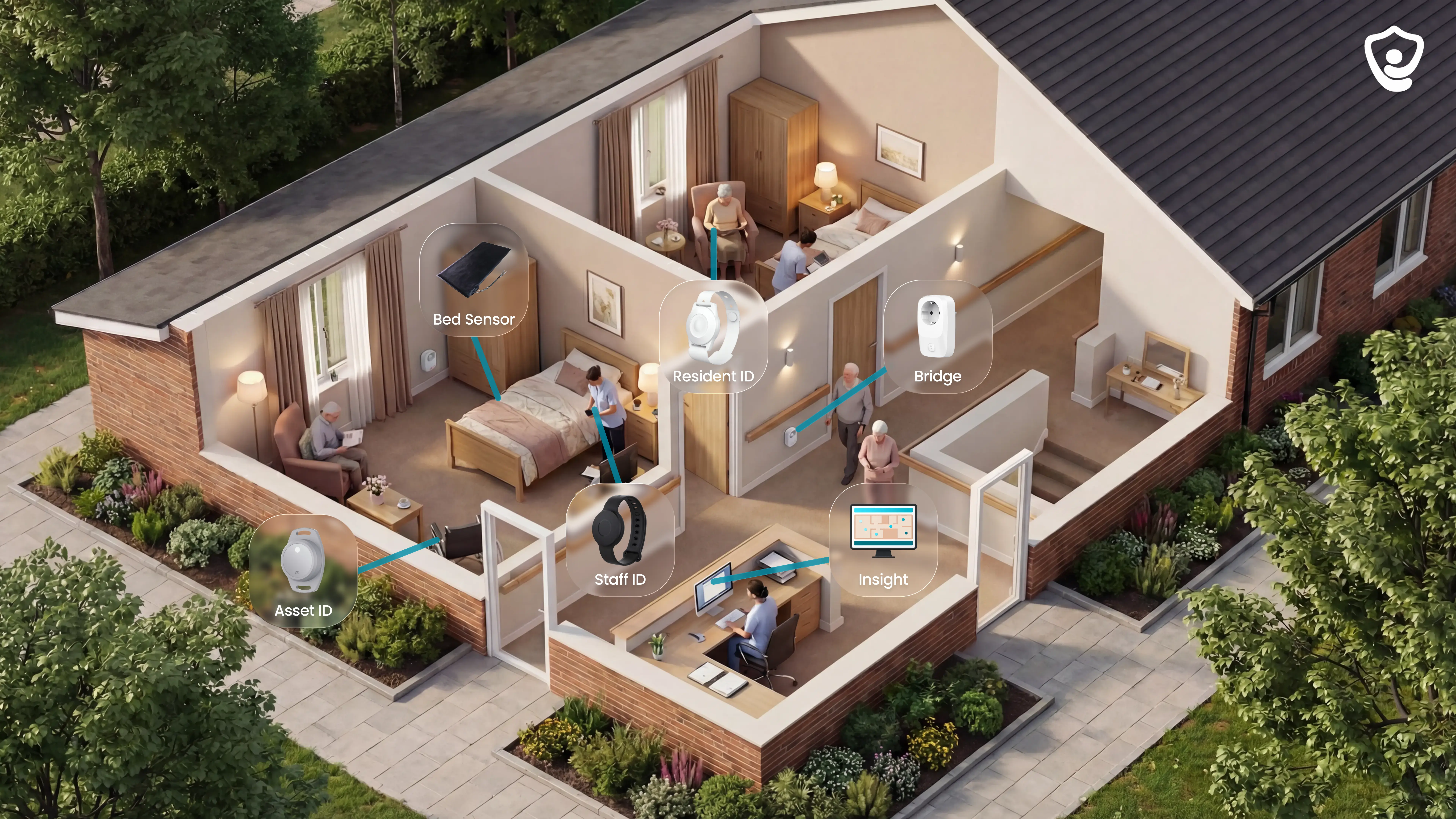
Guardian is a wireless, camera-free platform for care homes and home care teams. Sensors, wearables, asset tracking, and a live dashboard feed one incident and response record.
Guardian Insight gives managers one live operations view.
Lifeline and Apple Watch are built around personal alerts, while DIY logs start after staff type an incident. Guardian combines monitoring, visits, location, and response records in one layer.
Guardian is built for the people accountable for care quality and operations.
Signal | Guardian |
|---|---|
Best fit | Care homes and home care teams that need camera-free monitoring and automatic incident records |
Detection model | Wireless sensors, optional wearables, and configurable alert rules |
Reporting depth | Incident, visit, shift-time, response-time, and ROI reporting |
Rollout model | Scoped 6 to 8 week pilot for one ward, home, or team |
Pricing signal | No public self-serve price; commercial terms follow the pilot scope |
During a 6 to 8 week pilot, Guardian measures response times, visit verification, and ROI with live operational data.
What it covers
Guardian covers emergency alerts and routine care activity in the same reporting layer.
Safety events: falls, exits, nurse calls, SOS events, and restricted-area entries.
Routine activity: bed, motion, door, fridge, and stove sensor signals.
Care records: visits, shift times, incident notes, and response times.
Live location: residents, caregivers, vehicles, and assets on a floor plan or map.
Key capabilities
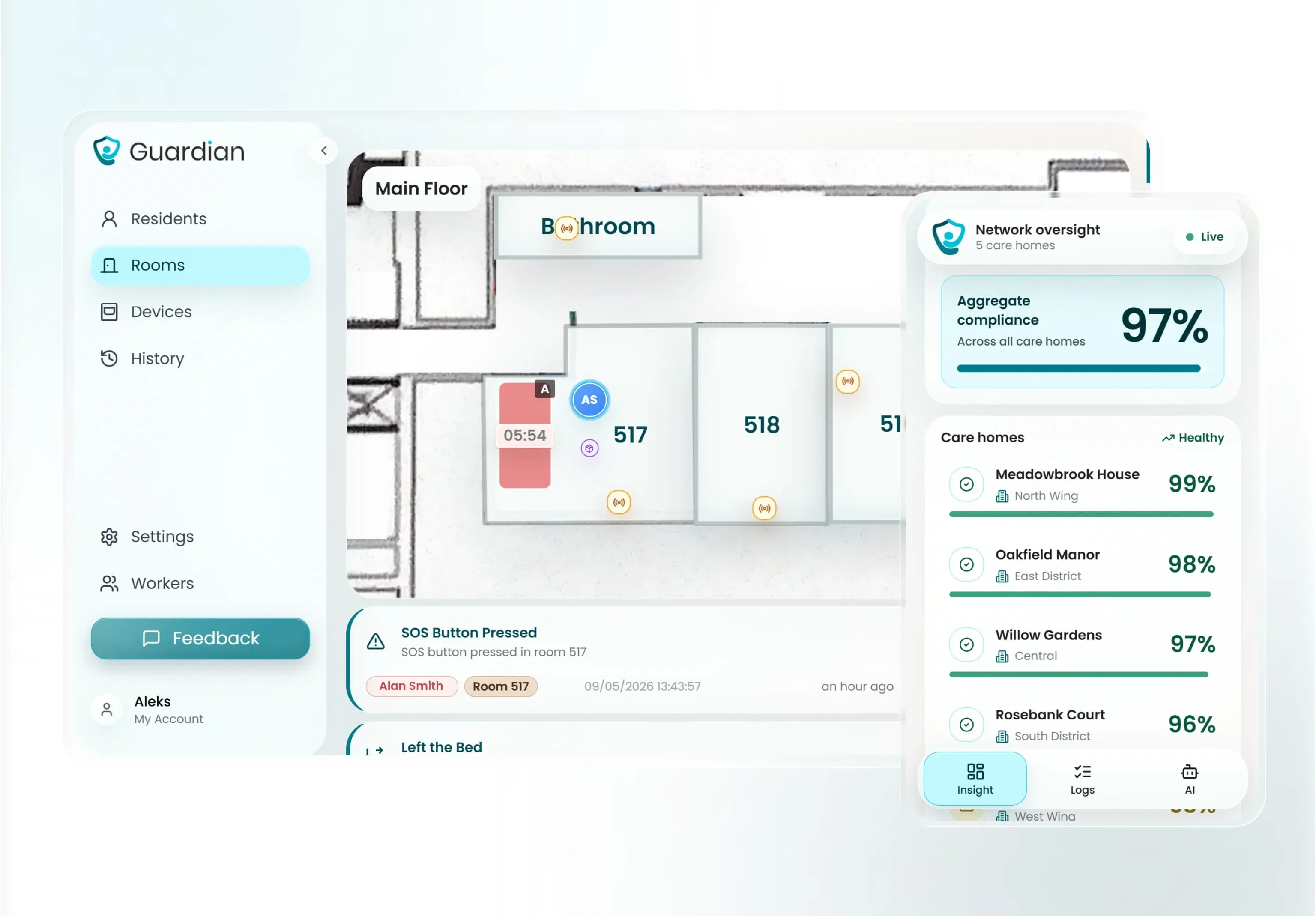
Clear tasks, not raw alarms. Guardian turns sensor and wearable signals into something a caregiver can act on right away.
Room-level alerts: staff see the resident name, room, floor area, short case description, and current status.
Filtered notifications: rules such as out of bed for more than 15 minutes at night suppress normal movement.
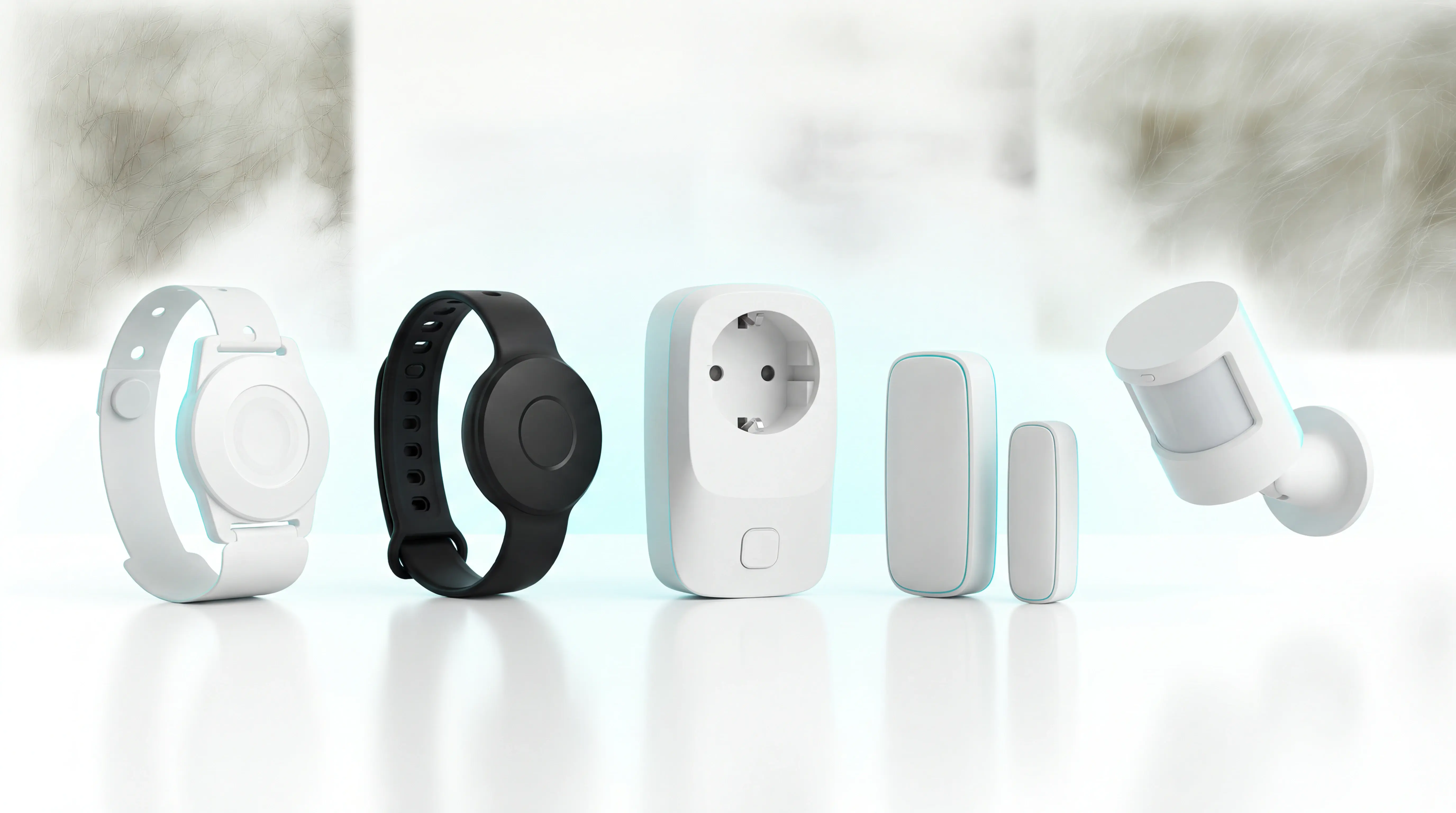
Wearable-optional coverage: bed, motion, door, fridge, and stove sensors still work when a resident does not press a button.
Background reports: visit, incident, and response-time records are written as care happens.
Button-only workflows leave a gap when a resident cannot or will not press. Guardian's sensors record the event either way, so it still reaches the report.
Best fit
Guardian fits care operators that need facility-wide visibility, camera-free monitoring, and automatic records before a wider rollout.
Multi-ward, multi-site, or fleet operations: Guardian fits once staff must coordinate across wards, sites, or vehicles.
Camera-sensitive settings: the system uses non-intrusive sensors instead of cameras or microphones in resident rooms.
Single-user pendant buyers: Guardian is a poor fit because the entry point is a scoped B2B pilot, not self-serve signup.
Proof-led teams: buyers who want evidence before scaling, not a sales pitch to sign off on faith.
Buying model
Guardian is bought through a scoped 6 to 8 week pilot for one ward, home, or team. Rollout terms are set after the pilot scope and ROI findings are clear.
Pilot first: the pilot ends with an impact report, ROI calculation, and rollout plan.
No public self-serve price: Guardian does not publish B2B pricing for the Care Home Operations Platform, Home Care Operations Platform, or Guardian Insight.
Scope-based rollout: the commercial discussion uses pilot data, manual-work reduction, and staffing context rather than a public price list.
2. Tunstall Healthcare
Tunstall Healthcare connects pendants, base units, and safety sensors to staffed monitoring for telecare and supported-living settings.
Aspect | Tunstall Healthcare | Guardian | Lifeline |
|---|---|---|---|
Primary model | Telecare hardware plus monitoring center | Facility dashboard plus in-room sensors | Personal alert service for home use |
Centralized reporting | Activity audit trails and operational data | Facility-wide dashboard and safety metrics | Family app, no professional dashboard |
Target setting | Care homes, group living, social housing | Institutional care homes and nursing facilities | Private homes |
Best fit
The Tunstall use case in this comparison is monitored telecare for care homes, group living sites, and housing providers.
Tunstall serves aged care, disability support, and long-term health populations rather than the general consumer electronics market. Its messaging centres on government-funded and formal care channels, which points to procurement through public-sector pathways rather than self-serve purchase.
In this comparison, Tunstall is listed across group living, care homes, and social housing. Lifeline and Envoy at Home are private-home products, while DIY logs support manual records without automated detection.
Tool | Environment fit | What that means operationally |
|---|---|---|
Tunstall Healthcare | Care homes, group living, social housing | Works with monitored alarm infrastructure and telecare workflows |
Lifeline | Private homes | Single-user emergency response model |
DIY logs and spreadsheets | Small care homes or individual providers | Manual internal record-keeping only |
Core strengths
Tunstall's core capability is monitored escalation across wearable alarms, base units, and environmental sensors.
Tunstall runs a dedicated 24/7 monitoring centre that receives alerts from pendants, base stations, and specialised sensors. After an alert arrives, monitoring staff coordinate follow-up by contacting family, caregivers, or emergency services.
The hardware range is wide: in-home units, mobile pendants, smartwatches, fall detectors, activity monitors, smoke sensors, bed sensors, epilepsy sensors, and key safes. The Gem4 and Gem5 mobile alarms add GPS tracking, automatic fall detection, and a manual SOS control for use away from home.
Compared with local alarms, Tunstall adds monitored escalation for more event types:
Environmental triggers: smoke, flood, and carbon monoxide sensors can route through the base station.
Fall-related alerts: fall detectors and mobile alarms can escalate to the monitoring centre.
Follow-up routing: monitoring staff contact family, caregivers, or emergency services after an alert.
Watch-outs
The main Tunstall watch-outs are device setup, base-station range, and limited live facility visibility compared with dashboard-led systems.
Hardware brings some setup constraints. Standard in-home units work within about 20 to 30 metres of the base station, according to user reports. Some legacy units still need a physical landline, which adds friction in modern properties.
Visibility is audit-led rather than live. In this article's matrix, centralised real-time location-aware alerts and facility safety metrics map to Guardian, while Tunstall offers remote access to activity audit trails and operational management data. Apple Watch also lacks an administrative dashboard, but it is a single-user consumer device; Tunstall sits between that and a multi-resident operations platform.
Service-friction signals should be checked during procurement. Tunstall UK's Trustpilot profile was just over 2 out of 5 from 21 reviews, so the small sample should be treated as a prompt for due diligence rather than a complete service picture.
Watch-out | Tunstall Healthcare | Named comparison in this article |
|---|---|---|
Coverage radius | 20 to 30 meter in-home base range reported for standard units | Mobile wearables like Apple Watch are not base-station dependent |
Operational visibility | Audit trails and management data | Guardian adds live floor-plan alerts and facility metrics |
Setup dependency | Some legacy units need landlines | DIY logs avoid hardware setup but have no automated detection |
Pricing and packaging signals
Tunstall pricing combines upfront device costs with recurring monitoring, with listed hardware signals from about $140 to $500 and monitoring at $31.30/month.
Bundles combine a wearable with monitoring. A Gem4 or Gem5 individual unit is listed at about $399. A Lifeline Digital plus Gem pendant bundle runs about $599, and a Lifeline unit plus Vibby fall detector bundle about $499 with three months of monitoring included.
The structure is hardware plus a recurring fee. Tunstall pairs upfront hardware with a $31.30 monthly monitoring fee, while Smart Caregiver in this article runs roughly $100 to $200 with no recurring fee. Apple Watch hardware ranges from $249 to $799, but the matrix does not attribute centralised reporting or regulatory support to it.
Package element | Price signal | Source note |
|---|---|---|
Upfront hardware | $140 to $500 typical device cost | General range from product catalog |
Monthly monitoring | $31.30 per month | No annual discount noted in KB |
Gem4 or Gem5 | About $399 | Single wearable unit |
Lifeline Digital + Gem pendant | About $599 | Bundle example |
Lifeline + Vibby fall detector | About $499 | Includes 3 months monitoring |
3. Lifeline
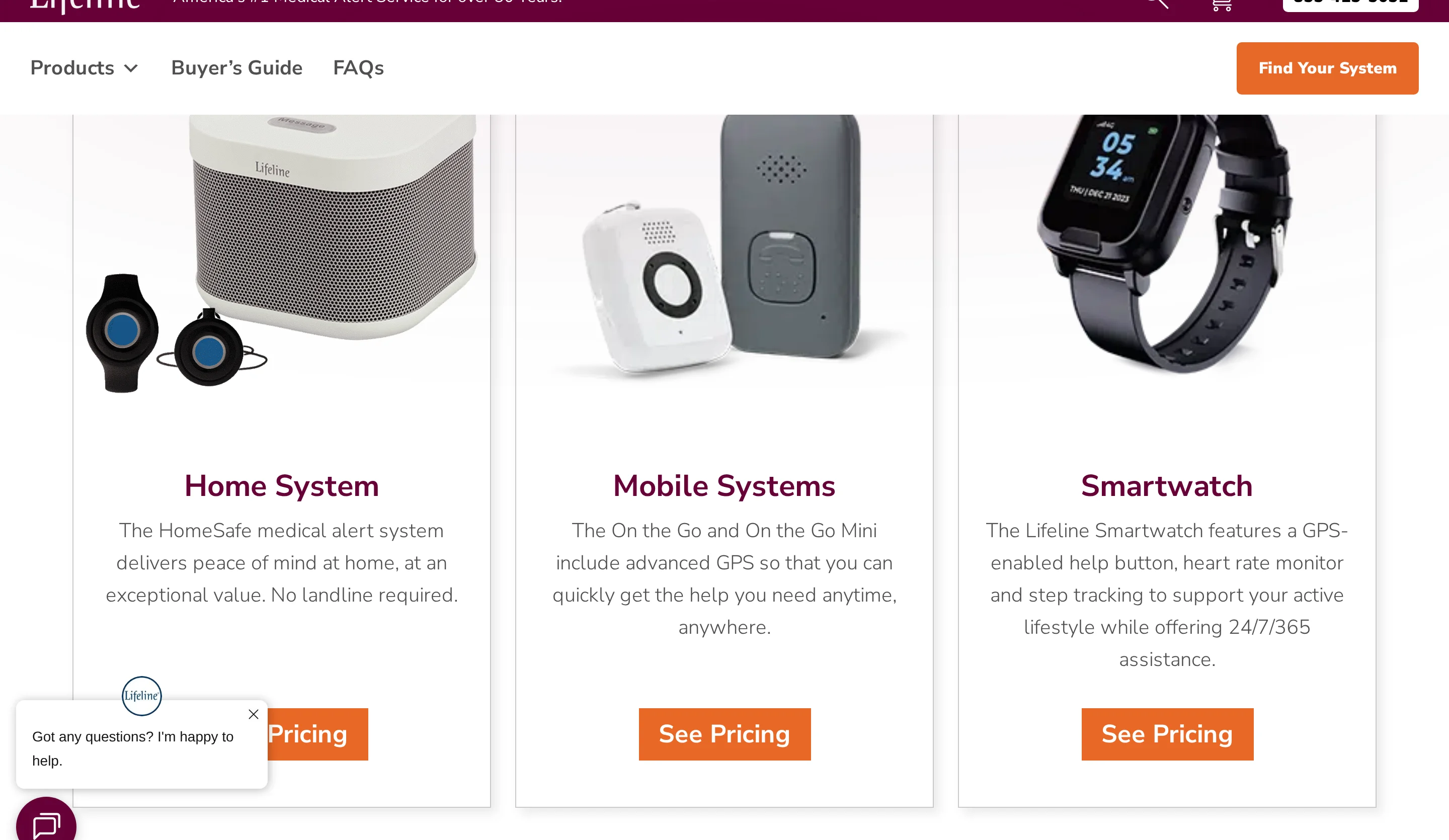
Lifeline provides consumer medical alerts for seniors at home through wearable help buttons, optional fall detection, and 24/7 emergency dispatch.
Aspect | Lifeline | Tunstall Healthcare | DIY logs and spreadsheets |
|---|---|---|---|
Target use | Individual seniors at home | Care homes and group living | Manual internal record-keeping |
Automated detection | Wearable button, optional fall detection | Sensors, wearables, personal alarms | None |
Centralized facility reporting | No | Yes | Manual only |
Best fit
Lifeline's fit is individual home use, where a senior needs wearable access to emergency dispatch rather than facility-wide incident reporting.
Lifeline connects a wearable pendant, mobile device, or smartwatch to a 24/7 response centre through a home base station or cellular connection. That model suits one person at home, not a team coordinating alerts and records across rooms and shifts.
Use case | Lifeline signal |
|---|---|
Private home emergency response | Supported |
Multi-resident care home oversight | Not the target use in this comparison |
Facility reporting dashboard | Absent |
24/7 dispatch connection | Included |
Core strengths
Lifeline's core strength is emergency escalation for a single user, with optional AutoAlert fall detection and mobile location support.
AutoAlert can call the response centre after a detected fall without a button press. Mobile devices use cellular GPS triangulation and WiFi positioning during an emergency, while HomeSafe can run through landline or cellular connection.
The main difference from Smart Caregiver is the escalation model:
Lifeline: wearable button or AutoAlert routes to a response centre.
Smart Caregiver: bed pads, chair pads, and floor mats trigger local alarms.
Operational impact: Lifeline can involve dispatch beyond the room where the alert starts.
Watch-outs
The main Lifeline watch-outs are facility reporting gaps and user-reported reliability complaints around fall detection, signal, battery life, and support wait times.
The reporting gaps are highest-risk for care teams. Lifeline has no professional centralised dashboard for multi-resident oversight, structured regulatory logs, or timestamped caregiver audit trails for institutional compliance.
User-reported reliability issues also show up. User complaints describe AutoAlert accuracy problems, including false positives and missed falls, and pendant battery life under 24 hours with support waits over an hour. Separately, user reports cite signal loss inside the home despite an advertised 1000-foot range.
Watch-out | Lifeline status |
|---|---|
Facility incident dashboard | Absent |
Regulatory audit trail | Absent |
Fall detection complaints | False positives and missed events reported |
In-home signal reliability | Signal loss reported |
Support responsiveness | Hour-plus waits reported |
Pricing and packaging signals
Lifeline pricing is subscription-based, with monthly service signals around $34.95 to $49.95 plus setup fees and optional add-ons.
Lifeline is a subscription service. HomeSafe starts at $34.95 per month on an annual plan, On the Go mobile monitoring runs $39.95 to $49.95 per month, and AutoAlert fall detection adds about $15 per month. Activation and equipment charges can exceed $100 upfront.
Against other tools here, the recurring fee is the differentiator. Smart Caregiver bundles typically cost $100 to $200 with no monitoring fee, while Envoy at Home starts with a $399 equipment fee for a hub and 8-sensor kit, then layers monitoring on top.
Plan or cost signal | Price |
|---|---|
HomeSafe | $34.95/month starting price |
On the Go | $39.95 to $49.95/month |
Smartwatch | About $49.95/month |
AutoAlert add-on | About $15/month |
Activation and equipment | Can exceed $100 upfront |
4. Smart Caregiver
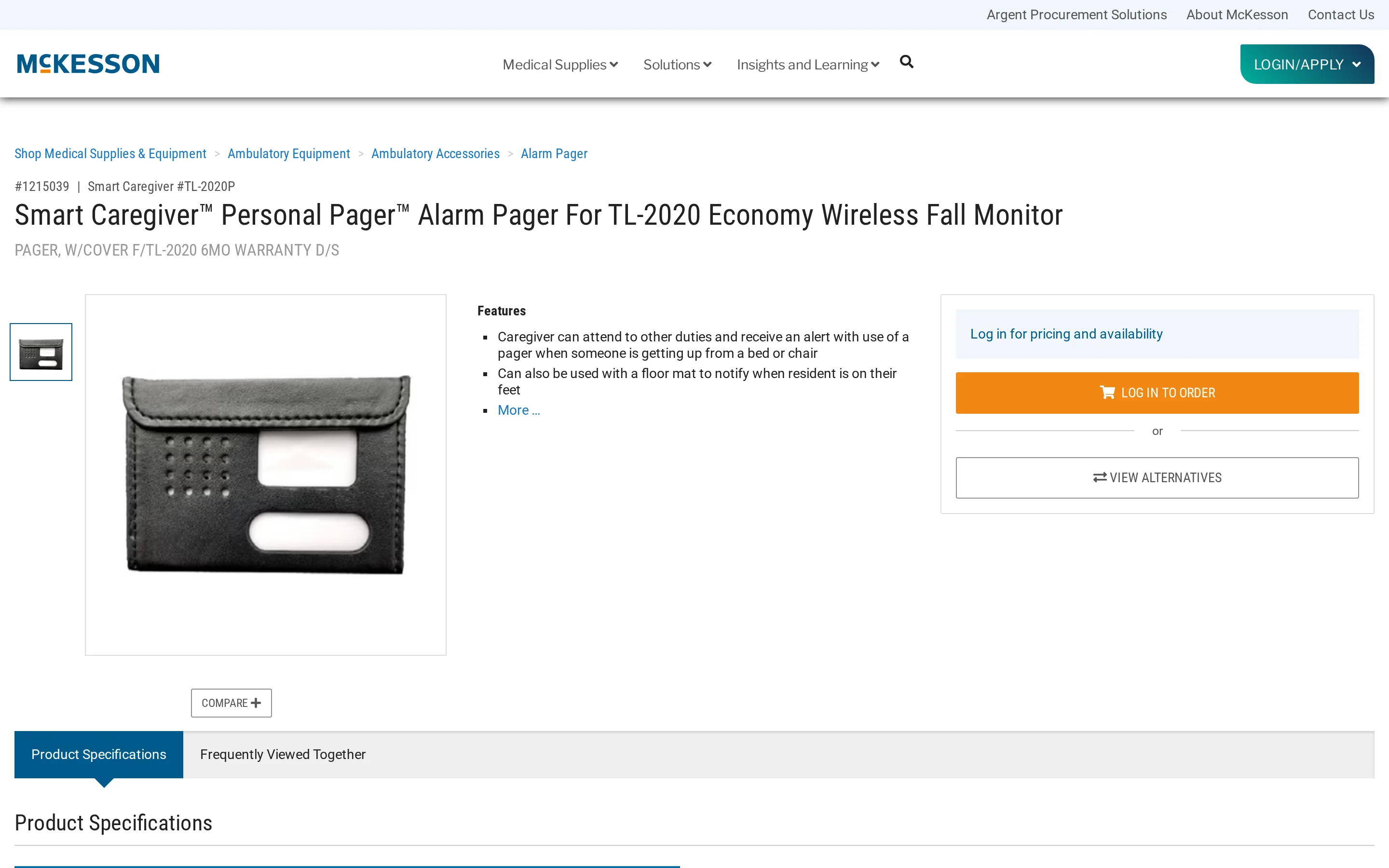
Smart Caregiver uses pressure pads, floor mats, motion sensors, and wireless pagers to send local fall-prevention alerts.
Aspect | Smart Caregiver | Tunstall Healthcare | SensorsCall |
|---|---|---|---|
Alert model | Local pager or monitor alerts | Platform-linked alerts and audit trails | App-linked alerts and trend reports |
Centralized reporting | No dashboard in this article's comparison set | Activity audit trails | Unified app dashboard |
Typical deployment pattern | Standalone hardware | Institutional care technology | Home monitoring with app analytics |
Best fit
The Smart Caregiver fit is local bed, chair, or doorway alerting for home care and small settings without shared reporting software.
One pager can monitor up to six sensors across a bed, chair, and doorway.
The deployment signals are narrow:
Range: wireless systems are limited to 300 feet.
Building layout: walls can reduce effective coverage.
Facility fit: large or multi-floor operations run into range and reporting limits.
Core strengths
Smart Caregiver's core strength is simple local alerting across pressure and motion sensors, with pager-based notifications and no app layer.
The hardware line covers the basic resident movement points:
Bed pads: alert when pressure is removed from the bed.
Chair pads: monitor seated residents who may try to stand without help.
Floor mats: trigger when a resident steps onto the mat.
Motion sensors: detect movement without requiring a wearable.
Notification stays at the hardware level. Wireless bed-pad systems talk directly to a portable pager, removing the cord between pad and alarm, and modes include chime, vibration, and voice recordings with custom prompts such as "Please stay in bed." Where Nomo Smart Care and SensorsCall attach monitoring data to mobile apps, Smart Caregiver keeps alerting local.
Watch-outs
Range, reliability, and record-keeping are the main Smart Caregiver limits in larger or regulated care settings.
Range is the first limit. Wireless systems are capped at a 300-foot range, and walls or structural obstructions reduce it further, raising the chance of a missed alert if the pager drifts too far from the sensor. Tunstall Healthcare, by contrast, is built for care homes and group living with software-backed operational data.
For professional reporting, the gaps are bigger. Smart Caregiver is a hardware-centric local alert system with no centralised reporting or audit log in this comparison. Reports from assisted living settings note that audible alarms can disturb residents and staff, and users describe erratic clicking and unexpected shutdowns linked to battery contact or connectivity issues.
Watch-out | Evidence |
|---|---|
Coverage range | 300-foot limit, reduced by walls and obstructions |
Reporting gap | No centralized dashboard or audit trail in this article's comparison set |
Facility noise | Audible alarms reported as disruptive in assisted living settings |
Reliability concern | User reports of clicking and unexpected shutdowns |
Pricing and packaging signals
Smart Caregiver pricing is one-time hardware purchasing, with entry motion kits, bed alarm bundles, and no subscription fee listed.
The listed price signals are one-time purchases. The basic motion detector system with pager is $24.95 on sale from $49.95, a standalone caregiver pager is about $29, and the bed alarm system with wireless monitor and call button is $129.95.
The buying model is hardware-only. Smart Caregiver uses one-time purchases with no monthly subscription. Envoy at Home also starts with a one-time equipment fee, listed here at $399 for a hub and 8-sensor kit, and SensorsCall starts at $149 for a 1-pack but adds app-based reporting, where Smart Caregiver stays hardware-only.
Package | Price signal | Source |
|---|---|---|
Basic motion detector + pager | $24.95 sale price, down from $49.95 | Smart Caregiver product page |
Standalone caregiver pager | About $29 | Smart Caregiver site |
Bed alarm system + wireless monitor + call button | $129.95 | Smart Caregiver site |
Recurring fee | None | Smart Caregiver site |
5. SensorsCall
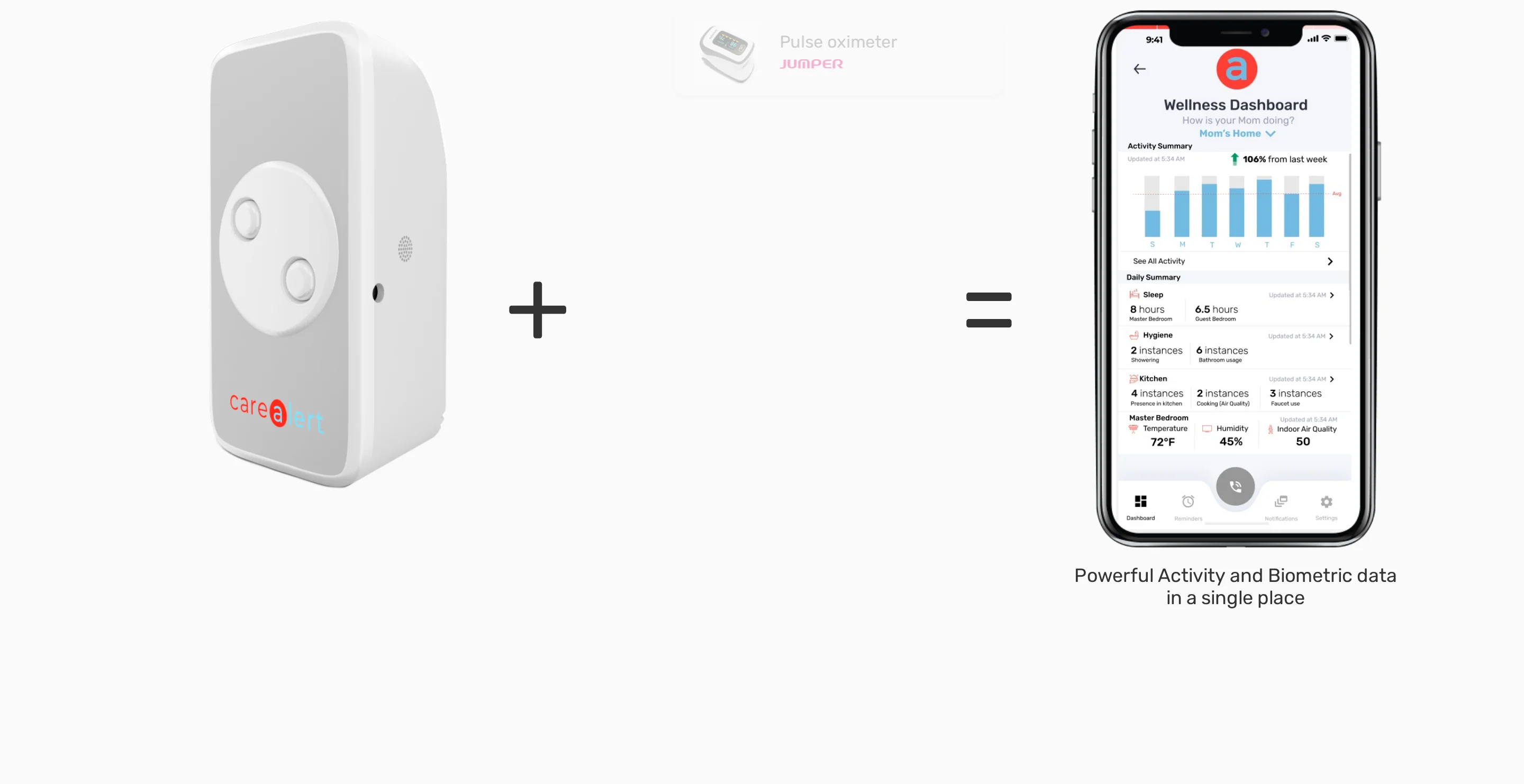
SensorsCall monitors private homes through plug-in sensors, audio classification, and environmental tracking, then routes alerts through a caregiver app.
Tool | Primary detection approach | Reporting context |
|---|---|---|
SensorsCall | Audio classification plus environmental and motion sensing | Unified caregiver app with trends and daily reports |
Nomo Smart Care | Motion sensors plus wearable Tags | Mobile app for Care Circle activity insights |
Envoy at Home | Motion, door, and cabinet sensors | Insight reports for family or clinicians |
Best fit
Best for private homes where relatives or home-care staff need passive routine tracking, ambient readings, and voice check-ins without cameras.
The fit is individual home oversight, not facility-wide incident reporting. Tunstall Healthcare covers group living, care homes, and social housing, while Lifeline maps to consumer home use.
Private home use: Yes for SensorsCall; Lifeline also aligns with individual consumer use.
Multi-resident facility dashboard: No facility dashboard is listed for SensorsCall.
Family-facing mobile oversight: Yes, through the caregiver app.
Core strengths
Its main value is passive routine monitoring: deviation alerts, environmental readings, and two-way voice check-ins from plug-in devices.
Signals SensorsCall tracks include:
Routine deviation: Alerts when activity moves away from an established daily pattern.
Indoor conditions: Temperature, humidity, and air-quality readings from the same plug-in device.
When an anomaly is detected, a caregiver can speak through the plug-in device. SensorsCall lists an open API for external platforms and biometric devices, including call buttons and medical monitors.
Capability | SensorsCall | Envoy at Home | Smart Caregiver |
|---|---|---|---|
Routine deviation alerts | Yes | Behavioral trend reports | No automated trend reporting |
Environmental tracking | Temperature, humidity, air quality | Not specified in matrix | Not specified in matrix |
Voice communication | Two-way intercom | Not specified in matrix | Local alarm only |
Watch-outs
Main risks to check before buying:
App reliability: Pairing and push-notification issues can affect response.
Accuracy evidence: Public third-party metrics for false alarms or precision were not found.
Facility workflow: Formal audit logs are not part of the home-care positioning.
Alert delivery is the practical caveat. CareAlert app feedback points to pairing problems during setup and delayed or missing push notifications.
For professional documentation, the public evidence is thin. SensorsCall material in the comparison matrix does not show compliance-grade audit logs or facility workflows.
Watch-out | SensorsCall | Tunstall Healthcare | Guardian |
|---|---|---|---|
User-reported alert delivery issues | Yes, app reviews cite delayed or missing notifications | Not cited in supplied sources | Not cited in supplied sources |
Third-party alert accuracy metrics | Not found in supplied sources | Not specified here | Not specified here |
Compliance-grade audit trail | No in matrix | Yes in matrix | Yes in matrix |
Pricing and packaging signals
SensorsCall appears to use hardware plus recurring service, with device packs for home deployment. Confirm current CareAlert pricing directly before comparing first-year cost.
Use SensorsCall's pricing as a direct-quote item. Public pack and subscription references vary, so a first-year cost estimate would be unreliable here.
Packaging signals home scale:
SensorsCall: Device packs plus service.
Nomo Smart Care: Home kit before monitoring.
Envoy at Home: Hub-and-sensor kit for one residence.
Tool | Upfront hardware signal | Recurring fee | Packaging implication |
|---|---|---|---|
SensorsCall | From $149. Three-pack at $416 | $19.99 monthly | Small home deployment with recurring service |
Nomo Smart Care | $199.99 care kit | Not listed in matrix excerpt | Home kit packaging |
Envoy at Home | $399 hub plus 8-sensor kit | Not listed in matrix excerpt | Single-residence whole-home package |
6. Nomo Smart Care
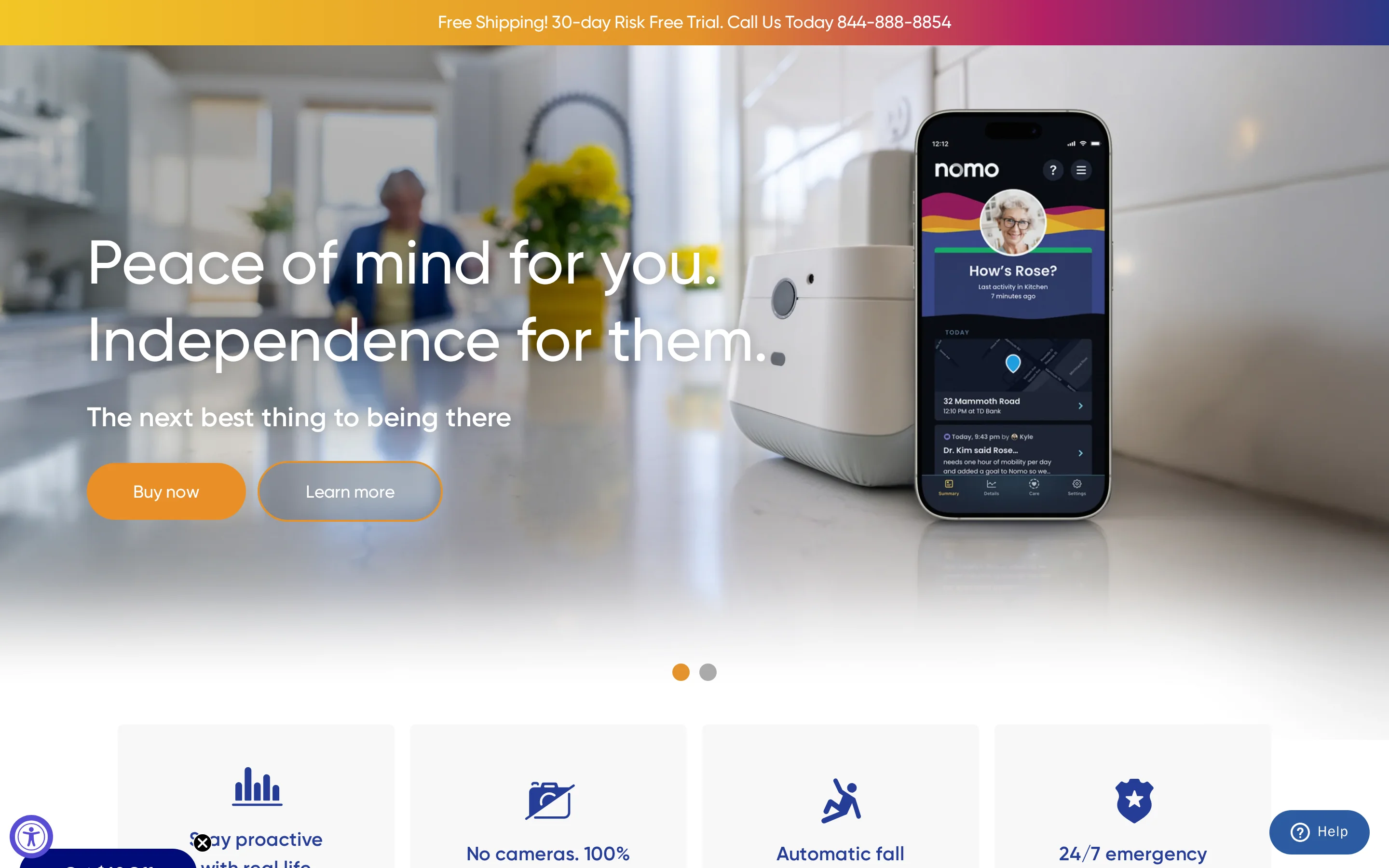
Nomo Smart Care learns household routines and uses wearable Tags to alert family caregivers about falls or routine changes.
Dimension | Nomo Smart Care | Guardian | Envoy at Home |
|---|---|---|---|
Primary setting | Private homes | Care homes and nursing facilities | Private homes |
Detection method | Routine learning plus wearable Tags | Wireless room sensors plus staff alerts | Ambient home sensors without wearables |
Centralized reporting | Mobile app Care Circle | Facility dashboard | Insight reports |
Best fit
Best for families monitoring an older adult at home through routine alerts, movement signals, and possible-fall notifications in a mobile app.
The setup suits independent living and family oversight.
Care-home workflows usually need a different layer:
Multi-resident views
Staff handoffs
Incident records
Aligned: Independent senior at home.
Aligned: Family Care Circle monitoring routines.
Poor fit: Care homes that need multi-resident dashboards and staff handoffs.
Core strengths
Its main value is routine learning paired with wearable fall detection inside a family-led monitoring workflow.
Nomo's routine alerts rely on a learned baseline:
Sleep: Flags changes from normal night activity.
Meals: Uses movement patterns around daily routines.
Medication access: Watches access patterns rather than relying only on a help button.
Wearable Tags add the fall signal. Worn as pendants, the Tags monitor orientation and movement in real time, then trigger an alert when motion matches a fall-like event.
Capability | Nomo Smart Care |
|---|---|
Routine baseline learning | Sleep, meals, medication-access patterns |
Deviation alerts | Yes |
Wearable fall detection | Yes, via Tags |
Manual emergency path | Yes, tag button and monitored service tier |
Watch-outs
The limits are reporting depth, facility workflow support, and the lack of published real-world fall-detection accuracy metrics.
For incident reporting, Nomo stays consumer-grade.
The Care Circle app is built around family monitoring, while institutional tools add:
Multi-resident oversight
Structured regulatory logs
Timestamped caregiver audit trails
Fall detection needs verification before use as an incident-reporting input. Nomo's public materials do not provide third-party real-world accuracy metrics for Tags, so buyers should test alerts during setup.
Watch-out | Why it matters |
|---|---|
No facility dashboard | Harder to monitor multiple residents or staff actions |
No audit trail for compliance | Weak fit for regulated incident documentation |
User-reported fall misses | Questions around real-world wearable reliability |
No visual confirmation | Families may need follow-up verification after alerts |
Pricing and packaging signals
Expect a home monitoring kit plus a recurring service component. Confirm the current Essential Care Kit and monitored-plan fees before comparing total cost.
The hardware package includes:
Hub: Central connection point.
Satellite sensors: Home activity signals.
Wearable Tags: Fall-detection and help-button path.
Paid service adds app notifications and monitored response features; check the current monthly fee directly.
Compare package structure rather than one-off prices:
Nomo Smart Care: Kit required before monitoring.
Envoy at Home: Higher published equipment fee.
Smart Caregiver: Local hardware bundles without a service layer.
Item | Price | What it signals |
|---|---|---|
Essential Care Kit | $249.99 one-time | Hardware purchase required before monitoring starts |
Essential+ subscription | $19.99 per month | Remote alerts and monitored response are subscription-based |
Model type | Hardware plus service | Closer to a monitored home-safety package than a reporting platform |
7. Envoy at Home
Envoy at Home tracks more than 35 home behavior patterns through motion and contact sensors in private residences.
Aspect | Envoy at Home | Apple Watch | Tunstall Healthcare |
|---|---|---|---|
Primary setting | Private homes | Private homes | Care homes and group living |
Detection style | Passive motion and contact sensors | Wearable fall detection and SOS | Environmental sensors, wearables, and alarms |
Central reporting | Insight reports for families | No admin dashboard | Remote access to audit trails and operations data |
Best fit
Best for family caregivers supporting a senior who lives alone, especially when wearables or cameras are not workable.
The target user is a family caregiver supporting a senior who lives independently in a private residence. Envoy materials reference cognitive impairment and residents who may resist a help button.
Facility use is the weak fit. Envoy is designed for private US residences, while care homes need multi-resident reporting and staff handoff records.
Primary user: Family caregiver.
Primary setting: Private home.
Resident profile: Independent senior, often with cognitive decline.
Interaction needed from senior: None.
Facility use: Not built for multi-resident dashboards.
Core strengths
Its main value is passive behavior tracking with custom sensor rules and mobile alerts tied to daily routine deviations.
Envoy tracks more than 35 behaviour patterns in real time, including potential fall risks, meal skipping, and general activity changes. The system does this without a wearable.
Caregivers can set custom rules from sensor data. A refrigerator-door rule, for example, can flag possible meal or hydration changes through cabinet and fridge access.
Capability | Envoy at Home | Nomo Smart Care | SensorsCall |
|---|---|---|---|
Passive monitoring without wearables | Yes | No, wearable Tags included | Yes |
Behavior scenarios | 35+ | Routine deviations and falls | Activity inferences and trends |
Custom event rules | Yes | Not stated in matrix | Not stated in matrix |
Signal types | Motion and contact | Motion plus Tags | Audio plus environmental and motion sensors |
Watch-outs
The main limits are internet dependency and the absence of facility-grade compliance or multi-resident reporting workflows.
It depends on the internet. Envoy at Home needs a consistent connection between the hub, sensors, and caregiver alerts, and if home internet is interrupted, the system cannot send alerts or monitoring data.
Envoy's reporting is family-facing.
Institutional tools add a different record layer:
Tunstall Healthcare: Downloadable activity audit trails.
Guardian: Automated incident records and staff workflow logs.
Internet outage: No alerts or data transmission.
Facility deployment: No multi-resident dashboard.
Compliance reporting: No formal audit trail.
Target workflow: Family oversight rather than staffed care operations.
Pricing and packaging signals
Envoy at Home uses a single-plan package: $99/month, $399 for the starter kit, and $29.99 per add-on sensor.
The starter package combines a subscription and kit. At $99/month plus $399 for hub and 8 sensors, first-year cost is about $1,587 before taxes and shipping.
Expansion is incremental but subscription-based. Each additional sensor costs $29.99; compare Nomo and Smart Caregiver by package structure unless current kit prices are confirmed directly.
Item | Price | What it signals |
|---|---|---|
Monthly subscription | $99 | Ongoing service cost |
Starter equipment | $399 | Hub plus 8-sensor kit |
Additional sensors | $29.99 each | Scales room coverage incrementally |
6-month prepay | Listed | No annual discount stated |
8. Apple Watch
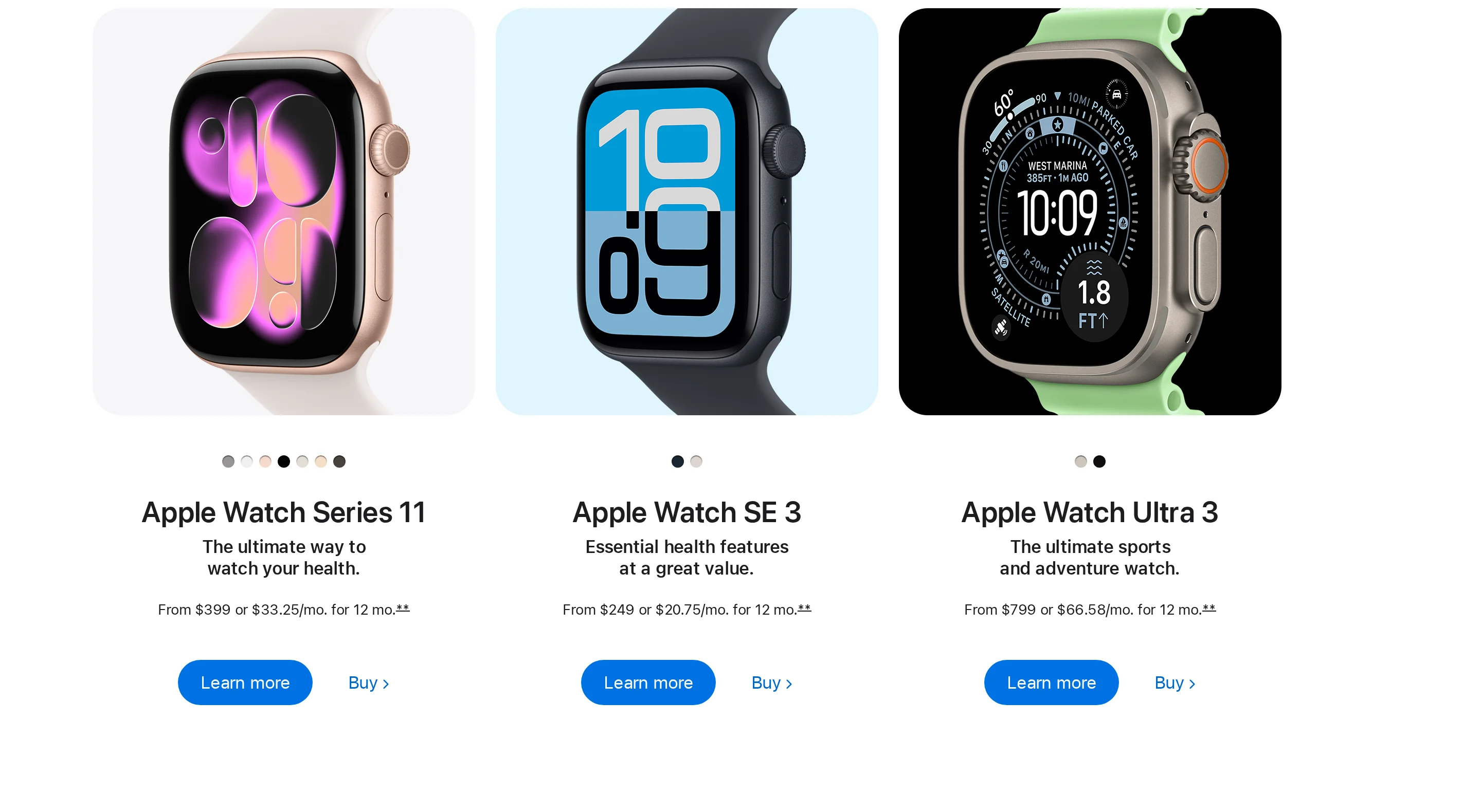
For individual iPhone users, Apple Watch brings hard-fall detection and Emergency SOS into a consumer smartwatch. Heart rate monitoring sits in the same wearable.
Dimension | Apple Watch | Tunstall Healthcare | Lifeline |
|---|---|---|---|
Target environment | Individual consumer use | Group living and care homes | Private-home individual use |
Centralized reporting | No admin dashboard | Activity audit trails and operational data | No professional dashboard |
Incident detection | Hard-fall detection and SOS | Wearables, alarms, environmental sensors | Help button plus optional AutoAlert |
Recurring service for core emergency features | No | Typically yes | Yes |
Best fit
The natural use case is one independent adult already using an iPhone, with family oversight rather than staff oversight.
Care homes need a shared view of residents, alerts, and follow-up records.
Apple Watch does not provide that facility layer, while Tunstall Healthcare provides activity audit trails and operational data for group living. DIY logs only document incidents after staff enter them.
Fit signals:
High: independent adult with an iPhone
High: one user wanting a smartwatch plus SOS
Partial: private home with family oversight only
Low: care home needing staff dashboard
Low: regulated facility needing audit trail
Core strengths
The main capabilities are automatic hard-fall detection and manual Emergency SOS. Heart rate monitoring sits in the same wrist-worn device.
Apple Watch keeps personal alerting and health metrics on one wearable:
Hard-fall detection: detects a hard fall from the wrist.
Heart rate: tracks heart rate data on the same device.
Emergency SOS: gives the wearer a manual help option.
The device can be used away from a fixed room. Tunstall's Gem4 and Gem5 mobile alarms cover the same away-from-home use, with GPS plus fall detection and a manual SOS button.
Capability | Apple Watch | Lifeline | Smart Caregiver |
|---|---|---|---|
Automatic fall detection | Yes | Optional add-on | No wrist-based fall detection |
Heart rate monitoring | Yes | No heart-rate feature noted | No |
Manual SOS | Yes | Yes | Local alarm system |
Wearable daily-use device | Yes | Depends on device | No, pad and mat system |
Watch-outs
The care-home limitation is the missing facility layer. Staff cannot manage resident alerts and follow-up records from a shared dashboard.
Facility reporting sits outside Apple Watch. The device has no administrative dashboard for multi-user oversight or facility-wide analytics.
Guardian maps alerts onto facility floor plans and tracks resident safety metrics from a central portal. Tunstall software includes downloadable activity audit trails and operational data.
Apple Watch also leaves compliance records outside the device. DIY logs can capture post-incident notes, but editable spreadsheet entries carry audit risk.
Operational need | Apple Watch | Article tools that cover it |
|---|---|---|
Facility dashboard | Absent | Guardian, Tunstall Healthcare |
Audit trail for compliance | Absent | Guardian, Tunstall Healthcare |
Multi-resident coordination | Absent | Guardian |
Manual post-incident recordkeeping | External workflow required | DIY logs and spreadsheets |
Pricing and packaging signals
Hardware prices run from $249 to $799, and Apple does not charge a recurring fee for core emergency features.
Packaging is the key difference. The pricing table separates Apple Watch's one-off hardware purchase from monitored services and home sensor kits.
Apple Watch pricing reflects a consumer bundle rather than operator response or facility software. Envoy at Home starts with a $399 hub and 8-sensor kit for home-based remote oversight.
Tool | Upfront price | Recurring service pattern | Packaging signal |
|---|---|---|---|
Apple Watch | $249 to $799 | No recurring fee for core emergency features | Consumer smartwatch purchase |
Lifeline smartwatch | Setup and hardware fees at activation | About $49.95/month | Monitored medical alert service |
Tunstall Healthcare | $140 to $500 device cost | Monitoring fees commonly apply | Dedicated alert hardware plus service |
Envoy at Home | $399 starter kit | Service-based home monitoring | Home sensor package |
9. DIY logs and spreadsheets
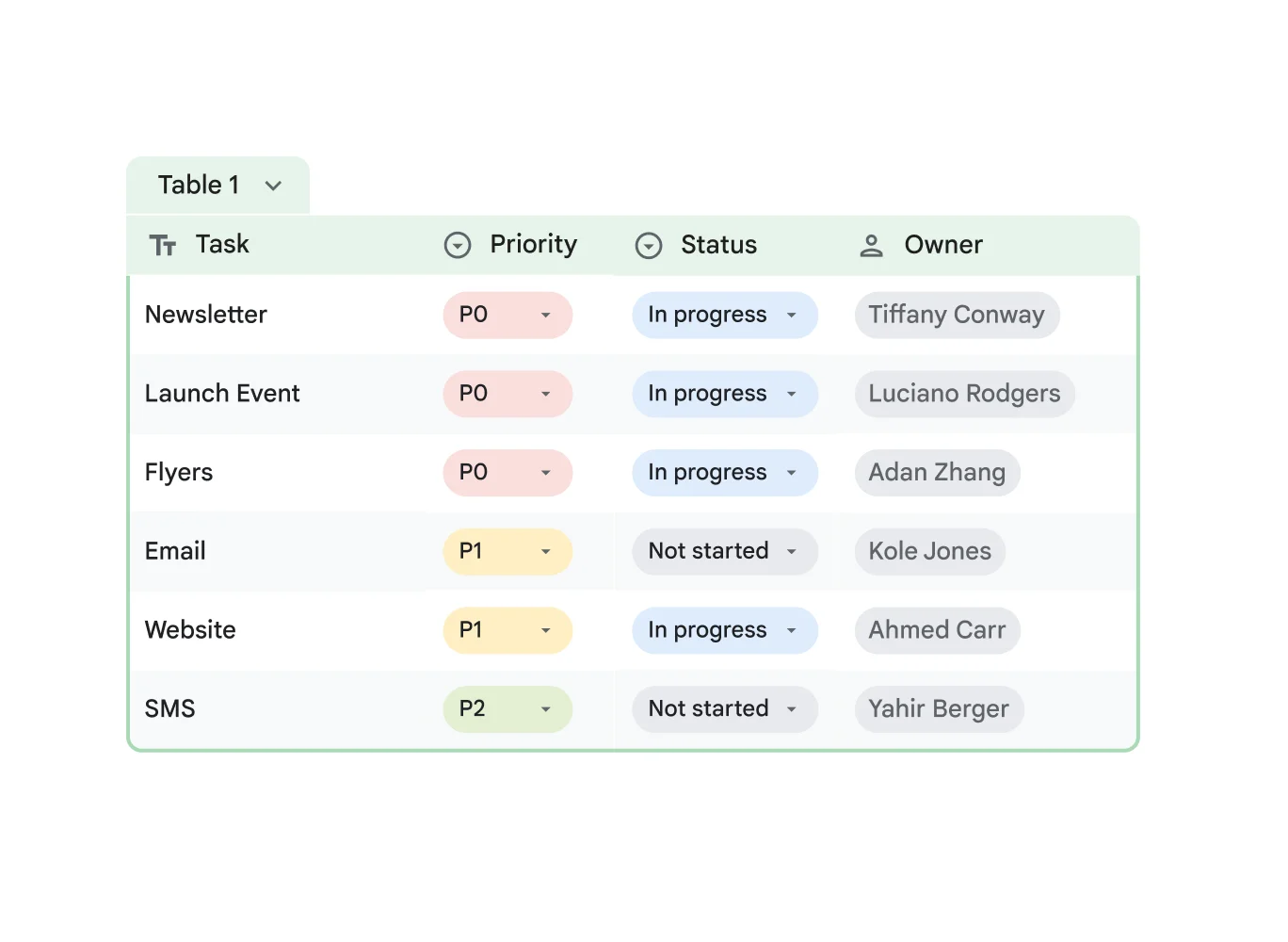
In Excel or Google Sheets workflows, staff record safety events manually after the incident has happened.
Aspect | DIY logs and spreadsheets | Compared tool |
|---|---|---|
Detection | Manual staff entry only | Tunstall Healthcare: sensor and alarm based alerts |
Central dashboard | Manual charts or pivot tables | Apple Watch: none for facility oversight |
Hardware cost | Uses existing office devices | Sensor systems require dedicated hardware |
Best fit
The workable use case is a very small provider with low incident volume and enough admin time to keep manual records current.
Manual tracking can cover basic internal records when incident volume is low. Reports come from pivot tables or charts, and every incident depends on staff entering the event after it happens.
Spreadsheet workflows become slower as activity grows, especially when operational changes happen suddenly. Guardian and Tunstall Healthcare provide centralised dashboards for institutional settings, while spreadsheet logs do not aggregate live alerts across residents.
Fit signals:
Incident volume: low
Team size: small
Entry method: manual after the event
Reporting: user-built charts and tables
Live alerting: absent
Core strengths
The main appeal is low setup cost. Teams can edit fields and build basic reports in software they already use.
Hardware spend is usually minimal because Excel and Google Sheets run on existing office computers. Basic summaries come from pivot tables and charts.
Teams can change fields without buying new hardware. Common columns include:
Date
Resident
Shift
Injury type
Witness
Follow-up
Smart Caregiver triggers local alarms but has no logging dashboard. A spreadsheet stores simple records and trend summaries.
Strength | DIY logs and spreadsheets | Contrast |
|---|---|---|
Hardware need | Existing office devices | Sensor systems need dedicated equipment |
Form design | Editable columns and tabs | Closed hardware workflows are less flexible |
Trend reporting | Manual charts and pivot tables | Smart Caregiver has no reporting layer |
Watch-outs
Manual records depend on staff action after the event. They do not provide automatic detection or immutable audit history.
Detection is absent at the moment of risk. Staff must enter the event after the incident has happened.
Guardian uses wireless motion and bed-exit sensors, plus SOS buttons with real-time location-aware alerts. SensorsCall infers activity with on-device machine learning plus environmental sensors.
Spreadsheet audit history is weak because entries can be edited or deleted. Guardian records incidents with staff workflow logs for institutional accountability, which spreadsheet edits do not replicate.
As activity rises, manual spreadsheet systems add admin work:
Late entries: staff record incidents after care tasks.
Changed records: edits can overwrite earlier detail.
No live layer: teams cannot coordinate residents from one alert view.
Tunstall Healthcare includes centralised operational data and activity audit trails for group living.
Risk area | DIY logs and spreadsheets | Named tool with that capability |
|---|---|---|
Automatic incident detection | Absent | Guardian, SensorsCall, Tunstall Healthcare |
Immutable audit trail | Absent | Guardian, Tunstall Healthcare |
Facility-wide live coordination | Absent | Guardian, Tunstall Healthcare |
Pricing and packaging signals
Typical software costs are about $6 to $22 per user monthly, assuming the care home already has office devices.
The low monthly cost reflects standard office software such as Excel or Google Sheets, rather than a dedicated incident platform.
Spreadsheets use existing devices, so the comparison lists no hardware deployment cost. The low spend excludes:
Automated detection
Centralised alerting
Compliance-grade logging
Dedicated tools move spend from software seats to hardware kits. The tools in the table each buy automated detection that a spreadsheet workflow does not provide.
Option | Entry cost signal | Hardware included |
|---|---|---|
DIY logs and spreadsheets | $6 to $22 per user monthly | No |
Smart Caregiver | $100 to $200 one time | Yes |
Nomo Smart Care | $199.99 one time | Yes |
Envoy at Home | $399 equipment fee | Yes |
Systems compared: features, workflows, and limits
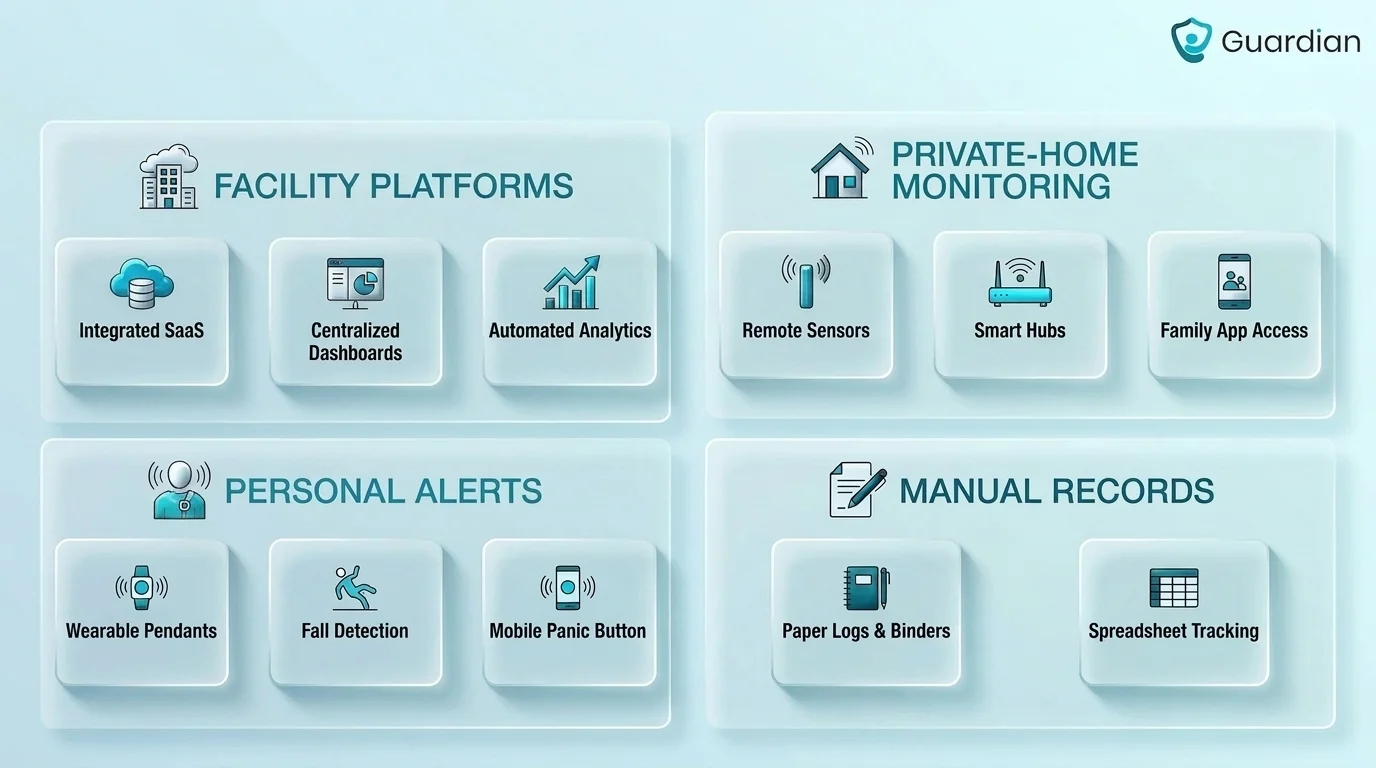
This comparison section shows that the tools in this article split into three practical groups: facility-oriented systems with stronger audit and compliance support, home-monitoring systems that detect routines or emergencies but lack institutional workflows, and manual logs that document incidents without detecting them automatically.
The clearest split is environment. Guardian and Tunstall are the only systems here marked for institutional settings with multi-resident oversight. Lifeline, SensorsCall, Nomo Smart Care, Envoy at Home, and Apple Watch are built for private-home or individual use.
SensorsCall, Nomo Smart Care, and Envoy at Home each keep some recorded incident history or a centralised view, but only Guardian and Tunstall Healthcare are positioned for institutional audit and compliance workflows. Smart Caregiver and Apple Watch detect incidents yet are marked absent for centralised reporting.
Automated background reporting changes where the work happens. A complete incident record needs details like who filed the report and which staff were notified, and today those are often reconstructed manually the next day.
Automating that capture cuts manual reconstruction after an event, though it does not remove all documentation work. Guardian's monitoring runs in the background, so the record exists before anyone sits down to write it.
Background recording should cover:
Event timing: when the alert started and when staff responded.
Staff workflow: who received the alert and what follow-up was recorded.
Location context: the resident, room, ward, or site linked to the event.
The biggest limits show up at the edges of each model. DIY spreadsheets are present for centralised reporting but absent for automated detection and regulatory compliance. Smart Caregiver is partial on target environment and absent for centralised reporting and compliance.
Weak data handling has real consequences: fragmented or non-interoperable IT systems can delay or lose critical resident data during care transfers. Incident systems are expected to include audit trails and version control under documentation management, which the consumer and manual options here do not provide.
System | Target environment | Centralized reporting | Incident detection | Compliance support |
|---|---|---|---|---|
Guardian | Institutional care homes | Yes | Sensors plus staff alerts | Yes |
Tunstall Healthcare | Care homes, housing, local authorities | Yes | Environmental sensors, wearables, alarms | Yes |
Lifeline | Private homes | No | Help button, optional fall detection | No |
Smart Caregiver | Home use or small settings | No | Pressure pads and floor mats | No |
SensorsCall | Home care | Yes | Audio classification plus ambient sensors | No |
Nomo Smart Care | Private homes | Yes | Motion sensors and wearable tags | No |
Envoy at Home | Private homes | Yes | Motion and contact sensors | No |
Apple Watch | Individual consumer use | No | Hard-fall detection and SOS | No |
DIY logs and spreadsheets | Small care providers | Manual only | No automated detection | No |
How to choose the right system for your workflow
The right incident reporting system depends on whether you need facility-wide oversight, home-use monitoring, or simple manual documentation, and on how much automatic detection, auditability, and ongoing service cost your workflow can support.
Start with fit: match the system to your setting, whether that is a multi-resident facility, a private home, or a small provider keeping manual records. A tool built for one senior at home will not coordinate a ward.
Staff should be able to report incidents from workstations, tablets, or mobile devices. A system that only alerts locally, or depends on one resident's device, does not replace facility-wide coordination across rooms, wards, and shifts.
Then check how incidents are captured in real time. The comparison separates systems with automated detection from manual logging: DIY logs and spreadsheets have no automated detection and rely on staff entering incidents after the event.
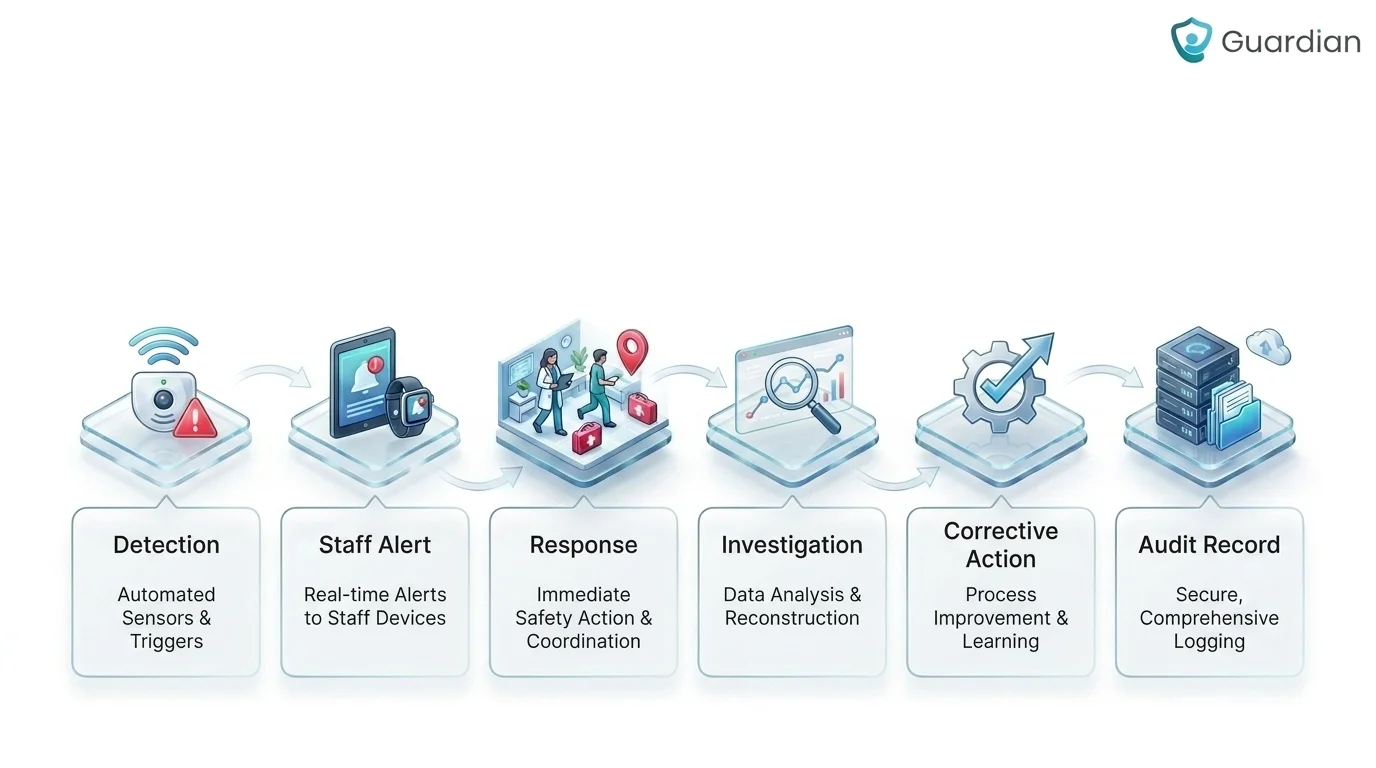
CQC guidance for medicine-related workflows requires recording all errors, including near misses, then prioritising immediate safety actions before later learning and formal reporting. Good capture logic combines automatic triggers with fast staff entry, which reduces missed incidents when a resident cannot press a button or staff are reconstructing events later.
Ask whether the records will hold up for review. Only Guardian and Tunstall Healthcare are marked with regulatory compliance support here; the consumer and family-monitoring tools are not.
Strong incident platforms include role-based permissions and integrate with existing electronic health records. CQC Duty of Candour guidance goes further, requiring investigation, transparent sharing of outcomes with affected people or families, and documented actions to prevent recurrence.
Finally, weigh the cost of adoption. The tools here use very different buying models: Smart Caregiver is a one-time hardware purchase, Lifeline and Tunstall add recurring monitoring fees, and some systems use quote-based pricing tied to deployment scale.
The stakes are not abstract. In 2025, only 70% of adult social care services were rated Good or Outstanding for safety, and just 63% reached that level for Well-led. A system that cuts reporting time and evidences response is part of closing that gap.
Criterion | What to verify |
|---|---|
Care environment fit | Private home, small facility, or multi-resident operation |
Incident capture | Automatic detection, staff entry, or manual after-the-fact logging |
Reporting quality | Centralized dashboard, audit trail, role-based access, integration |
Adoption cost | Hardware fees, monthly fees, device access, reporting workload |
Incident reporting systems document, track, and manage safety incidents, near misses, and follow-up actions. Digital systems let staff report from mobile devices, keep an event history for investigation, and reduce the manual work of reconstructing incidents later.
The five components are:
Incident details, covering what happened, when, and where.
People involved, including the affected person, witnesses, and staff.
Immediate response, covering the actions taken to keep the person safe.
Investigation findings, including causes, contributing factors, and near misses.
Corrective actions that reduce repeat risk. Follow-up should also record findings shared under Duty of Candour and required prevention steps.
Serious incidents involving death or police intervention must be reported to the CQC under Regulation 18.
Sometimes. Whether an anonymous report is accepted depends on the provider's policy and regulatory workflow. Anonymous or confidential channels can surface concerns that staff might otherwise withhold. Follow-up is the limit: a formal investigation may require clarification, documented actions, regulatory reporting, and communication with affected people or families. Confidential reporting often protects identity while still allowing investigators to make contact.
After an incident is reported, staff first protect the resident and make the scene safe. They then review severity and immediate risk, investigate causes and evidence, document findings and required disclosures, and complete corrective follow-up. Guardian can connect alerts, staff actions, response times, and follow-up records. The pilot impact report then brings together response data, incident-prevention findings, staff feedback, and a rollout plan.
An incident reporting system should track falls and injuries, near misses, wandering and exit events, restricted-area entry, medical emergencies, hazards, disruptions, security issues, and the follow-up actions after each event. Button-only reporting leaves gaps: LeLaurin et al. (2019) found that 80% of older adults who had a call alarm did not activate it during a fall. Each event also needs a record of the immediate response, assessment, investigation, and prevention steps.

Author
Aleks Timm
Aleks Timm leads Guardian and builds privacy-first operations technology for care homes and home care providers. Teams get location-aware alerts they can act on, clearer situational awareness, and measured insight into how care work actually runs.
Read MoreRecommended reads
Keep reading

Remote patient monitoring: a complete guide
Remote patient monitoring: the complete guide to sensors, benefits, and buying tips for safer care homes and better resident...
Read more
Smart Nurse Call Systems for Care Homes and Home Care Providers
Smart nurse call systems for care homes and home care providers: compare features, improve response times, and choose the right...
Read more
Indoor positioning systems for care homes
Indoor positioning systems for care homes help staff locate falls, exits, and nurse calls by room or bed, improving response,...
Read more